
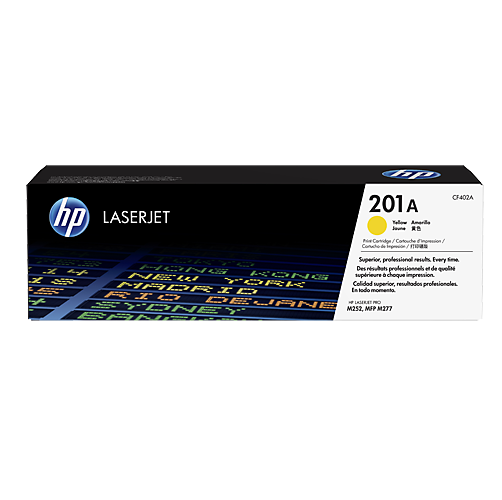
HP 201A Yellow Original LaserJet Toner Cartridge CF402A
In stock
Color(s) of printing supplies: Yellow
Print technology: Laser
Page yield (colour): 1,400 pages
Product successfully added to the Quote List
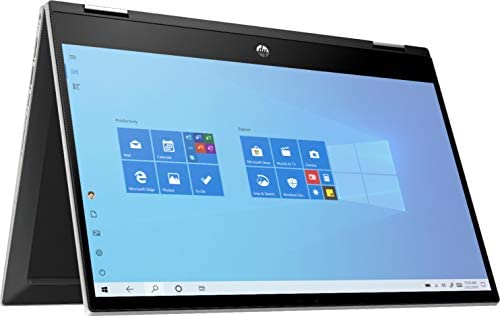
HP 2020 Newest Pavilion X360 2-in-1 Convertible 14″ HD Touch-Screen Laptop, 10th Gen Intel Core i3-1005G1, 8GB Ram, 128GB Ssd, Wifi, Webcam, Win 10 S
In stock
Product Name: HP Pavilion x360 2-in-1 Laptop
Display: 14 inches 1366 x 768 (HD) Touchscreen Widescreen LED-LCD
Processor: Intel 10th Generation Core i3-1005G1 (Dual-core,Base 1.2 GHz,up to 3.4GHz)
Graphics: Intel UHD Graphics (Integrated)
Memory: 8GB DDR4 RAM
Storage: 128GB SSD
2-in-1 Design: Yes
Media Card Reader: Yes
Integrated keyboard: Full-size island-style ash silver keyboard with numeric keypad
Touchpad Type: HP Imagepad with multi-touch gesture support
Connectivity: Wi-Fi, Bluetooth
Battery: 3-cell Lithium-ion
Ports: 2x USB 3.0 Type A; 1x USB 3.1 Type C; 1x HDMI Outputs; 1x Headphone/microphone combo jack
Dimension(W x D x H): 12.8 x 8.7 x 0.7 inch
Weight: 3.55 pounds
Operating System: Windows 10 Home in S mode
How to switch s mode to windows 10
1. On your PC running Windows 10 in S mode, open Settings > Update & Security > Activation.
2. In the Switch to Windows 10 Home or Switch to Windows 10 Pro section, select Go to the Store. (If you also see an “Upgrade your edition of Windows” section, be careful not to click the “Go to the Store” link that appears there.)
3. On the Switch out of S mode (or similar) page that appears in the Microsoft Store, select the Get button. After you see a confirmation message on the page, you’ll be able to install apps from outside of the Microsoft Store.
Latest 10th Generation Intel Dual-Core Core i3-1005G1 CPU at 1.2GHz Base Frequency, up to 3.4GHz with Intel Turbo Boost, 4MB Caches.
14″ Diagonal HD SVA Anti-Glare Micro-Edge WLED-Backlit Touch Screen (1366 x 768); 360° flip-and-fold design
8GB system memory for advanced multitasking; 128GB solid state drive (SSD)
HDMI output expands your viewing options; Built-in media reader for simple photo transfer; Wireless/Wired connectivity (WiFi 5 – 802.11 ac); Built-in HD webcam with dual array microphone
Windows 10 Home in S mode. No Optical Drive.
Product successfully added to the Quote List
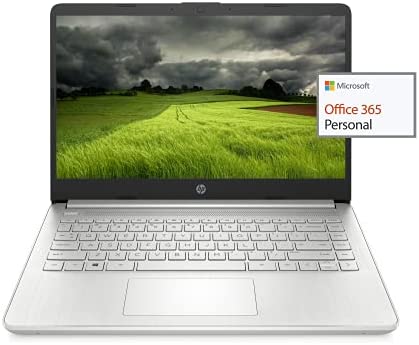
HP 2021 Newest 14in HD Laptop Light-Weight, AMD Athlon 3050U(Up to 3.2GHz), 8GB RAM, 128GB SSD + 64GB eMMC, 1 yr Office365, WiFi, Bluetooth 5, USB-A&C, HDMI, Webcam, Win10S,w/Ghost Manta Accessories
In stock
We sells computers with upgraded configurations. If the computer has modifications (listed above), then the manufacturer box is opened for it to be tested and inspected and to install the upgrades to achieve the specifications as advertised. If no modifications are listed, the item is unopened and untested. Defects & blemishes are significantly reduced by our in depth inspection & testing
How to switch s mode to windows 10
1. On your PC running Windows 10 in S mode, open Settings > Update & Security > Activation.
2. In the Switch to Windows 10 Home or Switch to Windows 10 Pro section, select Go to the Store. (If you also see an “Upgrade your edition of Windows” section, be careful not to click the “Go to the Store” link that appears there)
3. On the Switch out of S mode (or similar) page that appears in the Microsoft Store, select the Get button. After you see a confirmation message on the page, you’ll be able to install apps from outside of the Microsoft Store
Brand: HP
Display: 14″ HD
Processor: AMD 3050u, 2 Core
Memory: Upgrade to 8GB RAM
Storage: Upgrade to 64GB eMMC + 128GB SSD
Ports:
1 x 5Gbps USB Type-C
2 x 5Gbps USB Type-A
1 x HDMI 1.4
1 x Headphone/Microphone Combo
1 x multi-format SD media card reader
Wireless: WiFi 5, Bluetooth 5
Webcam: HP True Vision 720p HD camera with integrated dual array digital microphone
Battery Type: 3-cell, 41 Wh Li-ion
Average Battery Life: Up to 10.5 Hours
Audio Features: Dual speakers
Dimensions: 12.76 x 8.86 x 0.71 inches
Weight: 3.24 lbs
GM Accessories: Ghost Manta Accessories including HDMI cable, USB extension cord and Mouse pad
✔【14″ HD Display】14″ HD(1366 x 768) Display with micro-edge bezel design, WLED-backlit, BrightView, Enjoy your entertainment with the great quality and high-definition detail of 1 million pixels
✔【AMD Athlon Mobile Processor with Radeon Graphics】 AMD Athlon Silver 3050U (2.3 GHz, up to 3.2 GHz). This laptop is powered by AMD which gives good performance with efficiency. It can also do simple gaming thanks to its integrated AMD Radeon graphics.
✔【Upgrade to 8GB RAM】Substantial high-bandwidth RAM to smoothly run your games and photo- and video-editing applications, as well as multiple programs and browser tabs all at once
【Upgrade to 64GB emmc + 128GB SSD】Speedy solid-state drive for seanless performance and reliable multitasking, allows you to store a large number of files, improving the reading speed of large files, ensuring daily use and the speed of opening large files, reduce the time of application and file loading
✔【Activate 1 Year MS office 365 & Win10 in S mode】(About switch to regular Win10, see the detail in Product description) Activate pre-installed Office: 1.Launch any Office app > 2.Start your activation by signing in with your Microsoft account(Create a account if you don’t have one yet) > 3.Click “Activate Office” > 4.Sign in your account and follow the next prompts. > 5.Complete Step 1,2 and 3 > 6.Click on Refresh once Office is ready > 7.Open a document and accept the license agreement.
Product successfully added to the Quote List
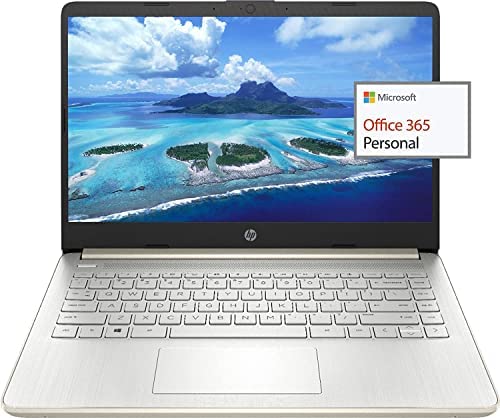
HP 2021 Newest 14in Ultra Light Laptop, Intel N4020 Processor(Up to 2.8GHz), 8GB RAM, 128GB Storage(64GB eMMC+64GB Micro SD), 1 Year Office 365, Webcam, HDMI, WiFi, USB-A&C, Google Classroom or Zoom
In stock
For all upgraded computers, the information on the original packaging does not represent the actual configuration, please download HWiNFO to check the actual configuration
How to switch s mode to windows 10
1. On your PC running Windows 10 in S mode, open Settings > Update & Security > Activation.
2. In the Switch to Windows 10 Home or Switch to Windows 10 Pro section, select Go to the Store. (If you also see an “Upgrade your edition of Windows” section, be careful not to click the “Go to the Store” link that appears there)
3. On the Switch out of S mode (or similar) page that appears in the Microsoft Store, select the Get button. After you see a confirmation message on the page, you’ll be able to install apps from outside of the Microsoft Store
OFFICE 365 FOR ONE YEAR: Get full access to Microsoft Excel, Word, PowerPoint, OneNote, Access, and 1 TB of OneDrive Storage for one year
Processor
Intel Dual-Core Celeron N4020 (1.1 GHz base frequency, up to 2.8 GHz burst frequency, 4 MB L2 Cache)
Memory
8GB DDR4-2400 SDRAM
Graphics
Integrated Intel UHD Graphics 600
Hard drive
64 GB eMMC+64GB Micro SD card
Display
14.0-inch diagonal, HD (1366 x 768), micro-edge, BrightView, 220 nits, 45% NTSC
Wireless connectivity
WiFi 5 (2×2) Wi-Fi and Bluetooth 5.0 combo
Expansion slots
1 microSD media card reader
External ports
1 USB Type-C 5Gbps
2 USB Type-A 5Gbps
1 HDMI 1.4b
1 AC Smart pin
1 Headphone/microphone combo
Minimum dimensions (W x D x H)
12.76 in x 8.86 in x 0.71
Weight
3.24 lb
【Intel Celeron N4020】1.1 GHz base frequency, up to 2.8 GHz burst frequency, 4 MB L2 cache, 2 cores. Enjoy a computer with an Intel Celeron processor. Experience Intel performance with entertainment features and fast connectivity. The Intel Celeron processor delivers performance in a new computer that fits your lifestyle and budget.
【14″ Diagonal HD Display】14″ diagonal HD anti-glare micro-edge, 220 nits, 45% NTSC (1366×768); Intel UHD Graphics 600,on-processor Graphics with Shared video Memory provide everyday image quality for Internet use, basic photo editing and casual gaming.
【Upgrade to 8GB DDR4 RAM】Substantial high-bandwidth RAM to smoothly run your games and photo- and video-editing applications, as well as multiple programs and browser tabs all at once.
【64GB eMMC flash memory & 64GB Micro SD Card】This ultracompact memory system is ideal for mobile devices and applications, providing enhanced storage capabilities, streamlined data management, quick boot-up times and support for high-definition video playback. Come with 128GB Micro SD card.
【Activate 1 Year MS office 365 & Win10 in S mode】(About switch to regular Win10, see the detail in Product description) Activate pre-installed Office: 1.Launch any Office app > 2.Start your activation by signing in with your Microsoft account(Create a account if you don’t have one yet) > 3.Click “Activative Office” > 4.Sign in your account and follow the next prompts. > 5.Complete Step 1,2 and 3 > 6.Click on Refresh once Office is ready > 7.Open a document and accept the license agreement.
Product successfully added to the Quote List
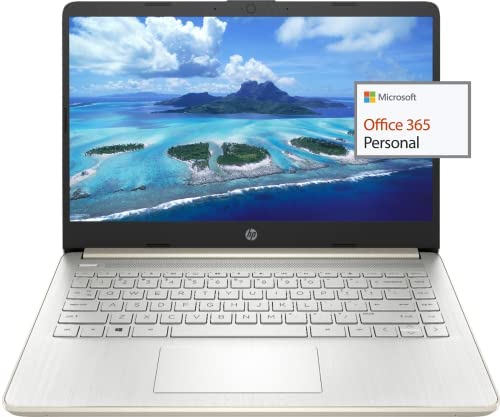
HP 2021 Newest 14in Ultra Light Laptop, Intel N4020 Processor(Up to 2.8GHz), 8GB RAM, 192GB Storage(64GB eMMC+128GB Micro SD), 1 Year Office 365, Webcam, HDMI, WiFi, USB-A&C, Google Classroom or Zoom
In stock
For all upgraded computers, the information on the original packaging does not represent the actual configuration, please download HWiNFO to check the actual configuration
How to switch s mode to windows 10
1. On your PC running Windows 10 in S mode, open Settings > Update & Security > Activation.
2. In the Switch to Windows 10 Home or Switch to Windows 10 Pro section, select Go to the Store. (If you also see an “Upgrade your edition of Windows” section, be careful not to click the “Go to the Store” link that appears there)
3. On the Switch out of S mode (or similar) page that appears in the Microsoft Store, select the Get button. After you see a confirmation message on the page, you’ll be able to install apps from outside of the Microsoft Store
OFFICE 365 FOR ONE YEAR: Get full access to Microsoft Excel, Word, PowerPoint, OneNote, Access, and 1 TB of OneDrive Storage for one year
Processor
Intel Dual-Core Celeron N4020 (1.1 GHz base frequency, up to 2.8 GHz burst frequency, 4 MB L2 Cache)
Memory
8GB DDR4-2400 SDRAM
Graphics
Integrated Intel UHD Graphics 600
Hard drive
64 GB eMMC+128GB Micro SD card
Display
14.0-inch diagonal, HD (1366 x 768), micro-edge, BrightView, 220 nits, 45% NTSC
Wireless connectivity
WiFi 5 (2×2) Wi-Fi and Bluetooth 5.0 combo
Expansion slots
1 microSD media card reader
External ports
1 USB Type-C 5Gbps
2 USB Type-A 5Gbps
1 HDMI 1.4b
1 AC Smart pin
1 Headphone/microphone combo
Minimum dimensions (W x D x H)
12.76 in x 8.86 in x 0.71
Weight
3.24 lb
【Intel Celeron N4020】1.1 GHz base frequency, up to 2.8 GHz burst frequency, 4 MB L2 cache, 2 cores. Enjoy a computer with an Intel Celeron processor. Experience Intel performance with entertainment features and fast connectivity. The Intel Celeron processor delivers performance in a new computer that fits your lifestyle and budget.
【14″ Diagonal HD Display】14″ diagonal HD anti-glare micro-edge, 220 nits, 45% NTSC (1366×768); Intel UHD Graphics 600,on-processor Graphics with Shared video Memory provide everyday image quality for Internet use, basic photo editing and casual gaming.
【Upgrade to 8GB DDR4 RAM】Substantial high-bandwidth RAM to smoothly run your games and photo- and video-editing applications, as well as multiple programs and browser tabs all at once.
【64GB eMMC flash memory & 128GB Micro SD Card】This ultracompact memory system is ideal for mobile devices and applications, providing enhanced storage capabilities, streamlined data management, quick boot-up times and support for high-definition video playback. Come with 128GB Micro SD card
【Activate 1 Year MS office 365 & Win10 in S mode】(About switch to regular Win10, see the detail in Product description) Activate pre-installed Office: 1.Launch any Office app > 2.Start your activation by signing in with your Microsoft account(Create a account if you don’t have one yet) > 3.Click “Activate Office” > 4.Sign in your account and follow the next prompts. > 5.Complete Step 1,2 and 3 > 6.Click on Refresh once Office is ready > 7.Open a document and accept the license agreement.
Product successfully added to the Quote List
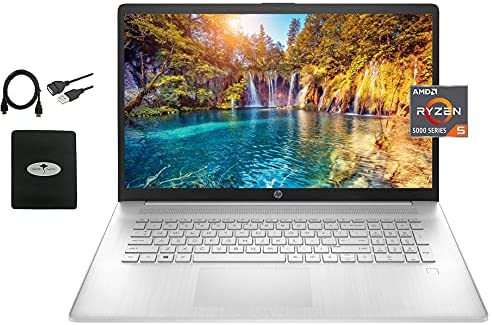
HP 2021 Newest HP 17.3In FHD Laptop, AMD Ryzen 5 5500U 6-core(Beat i7-1160G7, up to 4.0GHz), Bluetooth 4.2, WiFi, HDMI, USB-A&C, Win10 S, w/Ghost Manta Accessories, Silver, 16GB RAM 512GB SSD
In stock
We sell computers with upgraded configurations. If the computer has modifications (listed above), then the manufacturer box is opened for it to be tested and inspected and to install the upgrades to achieve the specifications as advertised. If no modifications are listed, the item is unopened and untested. Defects & blemishes are significantly reduced by our indepth inspection & testing. How to switch s mode to windows 10 On your PC running Windows 10 in S mode, open Settings Update & Security Activation. In the Switch to Windows 10 Home or Switch to Windows 10 Pro section, select Go to the Store. (If you also see an inchUpgrade your edition of Windowsinch section, be careful not to click the inchGo to the Storeinch link that appears there.) On the Switch out of S mode (or similar) page that appears in the Microsoft Store, select the Get button. After you see a confirmation message on the page, you’ll be able to install apps from outside of the Microsoft Store. Operating System Windows 10 Home S Mode Microprocessor AMD HexaCore Ryzen 5 5500U (Base Clock 2.1GHz, Max Boost Clock Up to 4.0GHz, 8MB L3 Cache, 12 Threads) Display 17.3inch diagonal, FHD (1920 x 1080), IPS, antiglare display Memory Upgraded to 16GB DDR4 Storage Upgraded to 512GB PCIe NVMe SSD Key Features WiFi: Yes Bluetooth: Yes Optical Drive: No Webcam: Yes Backlit Keyboard: No Fingerprint Reader: Yes SD Card Reader: No Touch Screen:No Number of Ports USB 3.0 Type A : 1 USB 3.0 Type C : 2 DisplayPort Ver. 1.2 Outputs: 1 DisplayPort Ver. 1.3 Outputs: 1 DisplayPort Ver. 1.4 Outputs: 1 Battery 3cell 41Wh, Up to 8 hours of battery life Dimensions (W x D x H) 15.78inch x 10.15inch x 0.78inch Weight 5.25 lbs
【Powerful CPU&GPU】AMD 6-Core Ryzen 5 5500U (Base Clock 2.1GHz, Max Boost Clock Up to 4.0GHz, 8MB L3 Cache, 12 Threads), AMD Radeon Graphics provide everyday image quality for Internet use, basic photo editing and casual gaming.
【Upgraded to 16GB DDR4 RAM】Substantial high-bandwidth RAM to smoothly run your games and photo- and video-editing applications, as well as multiple programs and browser tabs all at once.
【Upgraded to 512GB SSD】Provides massive storage space for huge files, so that you can store important digital data and work your way through it with ease. It gives you enormous space to save all of your files.
【Screen&Webcam】17.3 inch diagonal, FHD (1920 x 1080), IPS, anti-glare, 250 nits, 45 percent NTSC, HP True Vision 720p HD camera with integrated dual array digital microphones
【Win 10 S mode】You may switch win 10 S mode to the regular win 10: Update Microsoft App Store to the latest version. Press ‘Start button’ bottom left of the screen; Select ‘Settings’ icon above ‘power’ icon; Select Update & Security and Activation, then Go to Store; Select ‘Get’ option under ‘Switch out of S mode’; Hit Install.
Display size: 17.3 inches
Connectivity technology: Wireless
Product successfully added to the Quote List
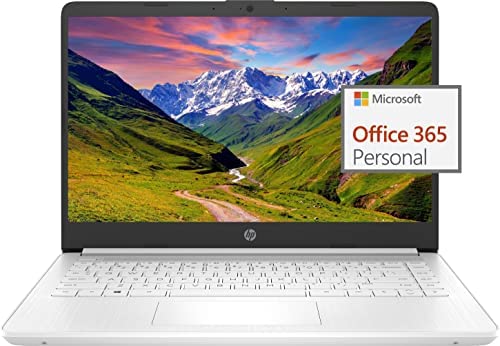
HP 2022 Newest 14in Ultra Light Laptop, Intel N4020 Processor Up to 2.8GHz , 8GB RAM, 128GB White 14-14.99 inches
In stock
Switching out of S mode in Windows 11 Windows 11 in S mode is designed for security and performance, exclusively running apps from the Microsoft Store. If you want to install an app that isn’t available in the Microsoft Store, you’ll need to switch out of S mode 1. On your PC running Windows 11 in S mode, open Settings > System > Activation. 2. In the Switch to Windows 11 Pro section, select Go to the Store. (If you also see an “Upgrade your edition of Windows” section, be careful not to click the “Go to the Store” link that appears there.) 3. On the Switch out of S mode (or similar) page that appears in the Microsoft Store, select the Get button. After you see a confirmation message on the page, you’ll be able to install apps from outside of the Microsoft Store. HP 14 inch Laptop for Bussiness and Student: This ultraportable and lightweight 14 inch Laptop is powered by Intel N4020 dual-core low power consumption prosessor, and gives you the freedom of up to 11.5 hours battery life. Preloaded with the Windows 11 S, speedy performance, robust security and convenient features, it’s not only perfect for students, it’s ideal for anyone who’s always on the go! Display: 14 inch HD 1366 x 768 Micro-edg display with virtually no bezel encircling the display Processor: Intel Dual Core Celeron N4020 processor with 1.10GHz (Max Turbo Speed of 2.80GHz) Memory: 8GB DDR4 Storage: 64GB eMMC flash + 64GB SD Card Graphics: Intel UHD Graphics 600 Operating System: Windows 11 Home in S mode Battery Life: up to 11.5 hours Webcam: Front-Facing Camera Connectivity: Bluetooth 5.0, 802.11ac Battery Type: Lithium-ion polymer Dimensions: 12.76 x 8.86 x 0.71 inches Weight: 3.24 lbs
Display: 14 inch HD(1366 x 768) Micro-edg display with virtually no bezel encircling the display, an ultra-wide viewing experience provides for seamless multi-monitor set-ups
Processor: Intel Celeron N4020 (up to 2.8Ghz), basic dual-core processor boosts multitasking capabilities for reliable Internet browsing, e-mail and everyday productivity
RAM: 4GB high-bandwidth DDR4 Memory (2400 MHz), 64GB high-speed eMMC Storage for your office and webinar needs
Ports: 1 x USB 3.1 Type-C ports, 2 x USB 3.1 Type-A ports, 1 x HDMI, 1 x Headphone/Microphone Combo Jack, and there’s a microSD slot
Windows 11 Home in S mode: You may switch to regular windows 11: Press ”Start button” bottom left of the screen; Select ”Settings” icon above ”power” icon;Select ”Activation”, then Go to Store; Select Get option under ”Switch out of S mode”; Hit Install. (If you also see an ”Upgrade your edition of Windows” section, be careful not to click the ”Go to the Store” link that appears there.)
Wireless communication technology: Wi-Fi
System ram type: ddr4 sdram
Product successfully added to the Quote List
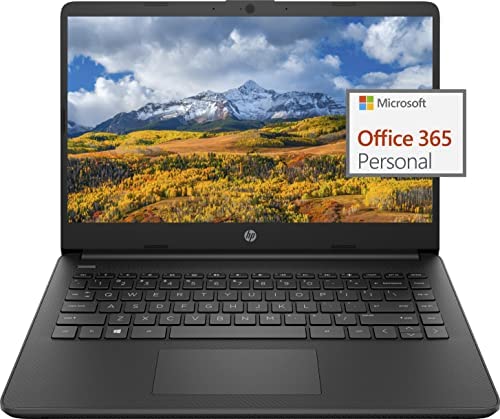
HP 2022 Newest 14in Ultra Light Laptop, Intel N4020 Processor(Up to 2.8GHz), 8GB RAM, 128GB Storage(64GB eMMC+64GB Micro SD), 1 Year Office 365, Webcam, HDMI, WiFi, USB-A&C, Google Classroom or Zoom
In stock
Switching out of S mode in Windows 11
Windows 11 in S mode is designed for security and performance, exclusively running apps from the Microsoft Store. If you want to install an app that isn’t available in the Microsoft Store, you’ll need to switch out of S mode
1. On your PC running Windows 11 in S mode, open Settings > System > Activation.
2. In the Switch to Windows 11 Pro section, select Go to the Store. (If you also see an “Upgrade your edition of Windows” section, be careful not to click the “Go to the Store” link that appears there.)
3. On the Switch out of S mode (or similar) page that appears in the Microsoft Store, select the Get button. After you see a confirmation message on the page, you’ll be able to install apps from outside of the Microsoft Store.
HP 14 inch Laptop for Bussiness and Student:
This ultraportable and lightweight 14 inch Laptop is powered by Intel N4020 dual-core low power consumption prosessor, and gives you the freedom of up to 11.5 hours battery life. Preloaded with the Windows 11 S, speedy performance, robust security and convenient features, it’s not only perfect for students, it’s ideal for anyone who’s always on the go!
Display: 14 inch HD 1366 x 768 Micro-edg display with virtually no bezel encircling the display
Processor: Intel Dual Core Celeron N4020 processor with 1.10GHz (Max Turbo Speed of 2.80GHz)
Memory: 8GB DDR4
Storage: 64GB eMMC flash + 64GB SD Card
Graphics: Intel UHD Graphics 600
Operating System: Windows 11 Home in S mode
Battery Life: up to 11.5 hours
Webcam: Front-Facing Camera
Connectivity: Bluetooth 5.0, 802.11ac
Battery Type: Lithium-ion polymer
Dimensions: 12.76 x 8.86 x 0.71 inches
Weight: 3.24 lbs
【Display】14 inch HD(1366 x 768) Micro-edg display with virtually no bezel encircling the display, an ultra-wide viewing experience provides for seamless multi-monitor set-ups
【Processor】Intel Celeron N4020 (up to 2.8Ghz), basic dual-core processor boosts multitasking capabilities for reliable Internet browsing, e-mail and everyday productivity
【RAM】8GB high-bandwidth DDR4 Memory (2400 MHz), 64GB high-speed eMMC Storage for your office and webinar needs
【Ports】1 x USB 3.1 Type-C ports, 2 x USB 3.1 Type-A ports, 1 x HDMI, 1 x Headphone/Microphone Combo Jack, and there’s a microSD slot
【Windows 11 Home in S mode】You may switch to regular windows 11: Press “Start button” bottom left of the screen; Select “Settings” icon above “power” icon;Select “Activation”, then Go to Store; Select Get option under “Switch out of S mode”; Hit Install. (If you also see an “Upgrade your edition of Windows” section, be careful not to click the “Go to the Store” link that appears there.)
Product successfully added to the Quote List
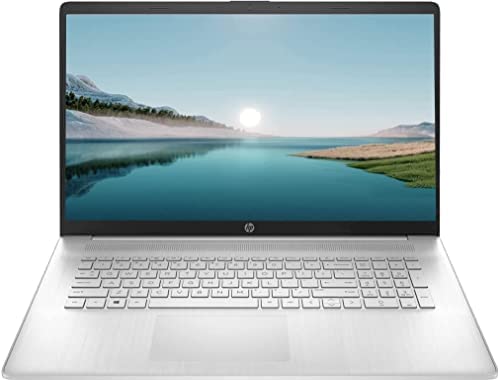
HP 2022 Newest 17z Laptop, 17.3” HD+ Touchscreen, AMD Ryzen 5 5500U Processor, 32GB DDR4 RAM, 1TB PCIe SSD, Bluetooth, Wi-Fi 6, Webcam, HDMI, Windows 11 Home, Silver
In stock
Key Features and Benefits:
CPU: AMD Ryzen 5 5500U Processor (2.1GHz to 4.0 GHz with Intel Turbo Boost Technology, 8 MB L3 cache, 6 cores, 12 threads)
Memory: Up to 32GB DDR4 RAM
Hard Drive: Up to 2TB PCIe Solid State Drive
Operating System: Windows 11 Home
Display: 17.3″ Brightview HD+ (1600 x 900) Touchscreen
Graphics: AMD Radeon Graphics
Backlit Keyboard: No
Numeric Keyboard: Yes
Ports:1 x SuperSpeed USB Type-C 5Gbps signaling rate; 2 x SuperSpeed USB Type-A 5Gbps signaling rate; 1 x HDMI 1.4b; 1 x AC smart pin; 1 x headphone/microphone combo
Wireless Connectivity: Realtek Wi-Fi 6 (2×2) and Bluetooth 5.2 combo
Camera: Built-in HD Webcam with Microphone
Bluetooth: Yes
Power Supply: 3-Cell 41WH Lithium-ion Battery
Weight: 4.58 pounds
Color:Silver
【Memory & Storage】The PC memory has been upgraded to 32GB DDR4 SDRAM for enhanced high bandwidth to easily switch back and forth between open applications; Hard drive has been upgraded to 1TB PCIe NVMe M.2 SSD for fast boot up and speedy data transfer
【Processor】 AMD Ryzen 5 5500U Processor (2.1GHz to 4.0 GHz with Intel Turbo Boost Technology, 8 MB L3 cache, 6 cores, 12 threads), AMD Radeon Graphics
【Screen】17.3″ Brightview HD+ (1600 x 900) Touchscreen
【Tech Specs】1 SuperSpeed USB Type-C 5Gbps signaling rate; 2 SuperSpeed USB Type-A 5Gbps signaling rate; 1 HDMI 1.4b; 1 Media Card Reader; 1 headphone/microphone combo
【Operating System】Windows 11 Home
Product successfully added to the Quote List
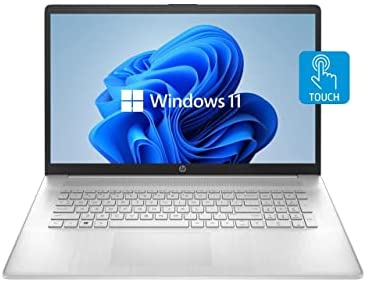
HP 2022 Newest Notebook Laptop, 17.3” HD+ Touchscreen, AMD Ryzen 5 5500U 6 Cores Processor, Bluetooth, Wi-Fi, Webcam, USB Type-C, Windows 11 Home, Silver (8GB RAM | 256GB SSD)
In stock
Key Features and Benefits:
CPU: AMD Ryzen 5 5500U Processor (2.10 GHz to 4.0 GHz, 3 MB L2 Cache, 6 cores)
Memory: Up to 32GB DDR4 RAM
Hard Drive: Up to 2TB PCIe Solid State Drive or 1TB Hard Disk Drive
Operating System: Windows 11 Home
Display: 17.3″ Touchscreen Brightview HD+ (1600 x 900) 250-Nits Display
Graphics: AMD Radeon Graphics
Backlit Keyboard: No
Numeric Keyboard: Yes
Ports: 1 x SuperSpeed USB Type-C 5Gbps signaling rate; 2 x SuperSpeed USB Type-A 5Gbps signaling rate; 1 x HDMI 1.4b; 1 x AC smart pin; 1 x Headphone/microphone combo
Wireless Connectivity: Realtek Wi-Fi (2×2) and Bluetooth 5.0 combo (Supporting Gigabit data rate)
Camera: HP True Vision 720p HD Camera with Integrated Dual Array Digital Microphones
Bluetooth: Bluetooth 5.0 combo
Power Supply: 3-Cell 41WH Lithiumion
Weight: 4.58 pounds
Color: Natural Silver
【Memory & Storage】The PC memory has been upgraded to 8GB DDR4 SDRAM for enhanced high bandwidth to easily switch back and forth between open applications; Hard drive has been upgraded to 256GB PCIe NVMe M.2 SSD for fast boot up and speedy data transfer
【Processor】 AMD Ryzen 5 5500U Processor (2.10 GHz to 4.0 GHz, 3 MB L2 Cache, 6 cores)
【Operating System】Windows 11 Home
【Tech Specs】1 x SuperSpeed USB Type-C 5Gbps signaling rate; 2 x SuperSpeed USB Type-A 5Gbps signaling rate; 1 x HDMI 1.4b; 1 x AC smart pin; 1 x Headphone/microphone combo
【Screen】17.3″ Touchscreen Brightview HD+ (1600 x 900) 250-Nits Display
Product successfully added to the Quote List
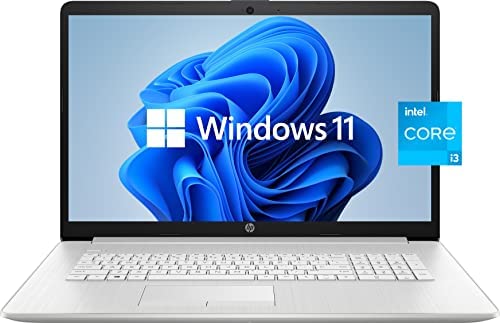
HP 2022 Pavilion 17 Laptop, 17.3In HD+ Anti-Glare Display, 11th Gen Intel Core i3-1115G4, 8GB RAM, 256 GB PCIe SSD, Wireless-AC, Windows 11, Silver (Lasted Model), 17-30.99 inches
In stock
Processor: Intel® Core™ i3-1115G4 (up to 4.1 GHz with Intel® Turbo Boost Technology, 6 MB L3 cache, 2 cores, 4 threads) Operating System: Windows 11 Home 64 English Display: 17.3″ diagonal, HD+ (1600 x 900), anti-glare, 220 nits, 60% NTSC Video Card: Intel® UHD Graphics Hard Drive: Up 2TB PCIe NVMe M.2 Solid State Drive Memory: Up 32GB DDR4 RAM Speaker: Dual speakers Wireless: Realtek RTL8821CE 802.11a/b/g/n/ac (1×1) Wi-Fi® and Bluetooth® 4.2 combo Optical Drive: No Camera: HP True Vision 720p HD camera with integrated dual array digital microphones Backlit Keyboard: No Ports: 2 SuperSpeed USB Type-A 5Gbps signaling rate; 1 USB 2.0 Type-A; 1 HDMI 1.4b; 1 RJ-45; 1 AC smart pin; 1 headphone/microphone combo Dimensions: 16.33 x 10.72 x 0.93 inches Starting weight: 4.6 pounds Primary Battery: 3-cell, 41 Wh Li-ion Chassis: Natural Silver
?Processor?Intel Core i3-1115G4 (up to 4.1 GHz with Intel Turbo Boost Technology, 6 MB L3 cache, 2 cores, 4 threads)| Intel UHD Graphics
?Display?17.3 inch diagonal, HD+ (1600 x 900), anti-glare, 220 nits, 60 percent NTSC, enjoy your photos, movies, and games with the crisp quality.
?RAM and Storage?RAM is 8GB high-bandwidth RAM to smoothly run multiple applications and browser tabs all at once; Hard Drive is 256 GB Hard Disk Drive allows to fast bootup and data transfe.
?Tech Specs?2 SuperSpeed USB Type-A 5Gbps signaling rate; 1 USB 2.0 Type-A; 1 HDMI 1.4b; 1 RJ-45; 1 AC smart pin; 1 headphone/microphone combo | Webcam | Wi-Fi | Windows 11 Home 64-bit
?Included in the package?Bundled with Microfiber Cloth
Ram memory installed size: 8.0 GB
System ram type: ddr_sdram
Product successfully added to the Quote List
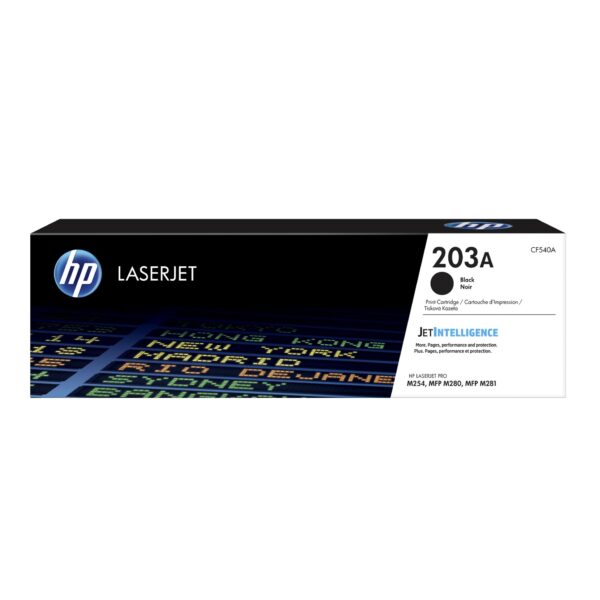
HP 203A Black Original LaserJet Toner Cartridge (CF540A)
In stock
Color(s) of printing supplies: Black
Print technology: Laser
Page yield (black and white): 1,400 pages
Product successfully added to the Quote List
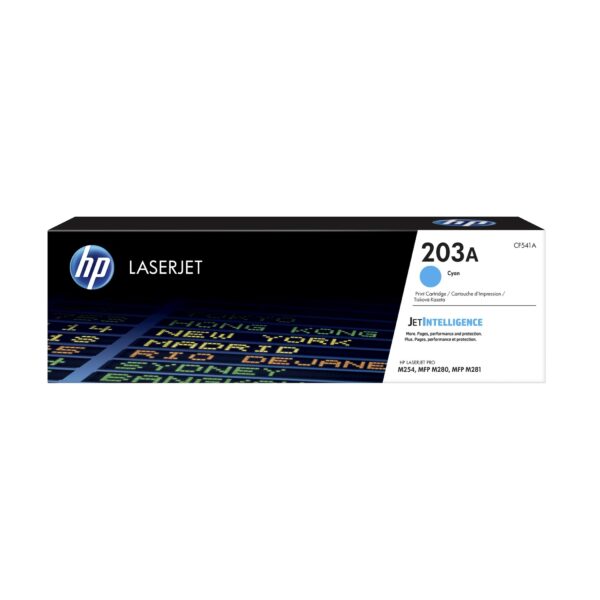
HP 203A Cyan Original LaserJet Toner Cartridge (CF541A)
In stock
Color(s) of printing supplies: Cyan
Print technology: Laser
Page yield (colour): 1,300 pages
Product successfully added to the Quote List
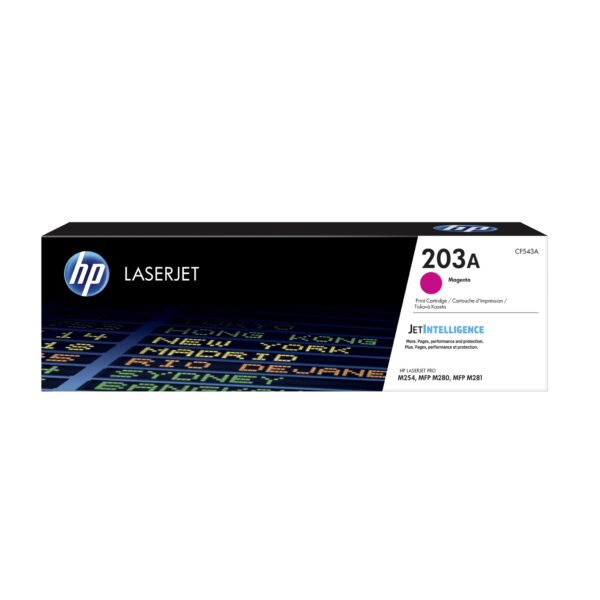
HP 203A Magenta Original LaserJet Toner Cartridge (CF543A)
In stock
Color(s) of printing supplies: Magenta
Print technology: Laser
Page yield (colour): 1,300 pages
Product successfully added to the Quote List
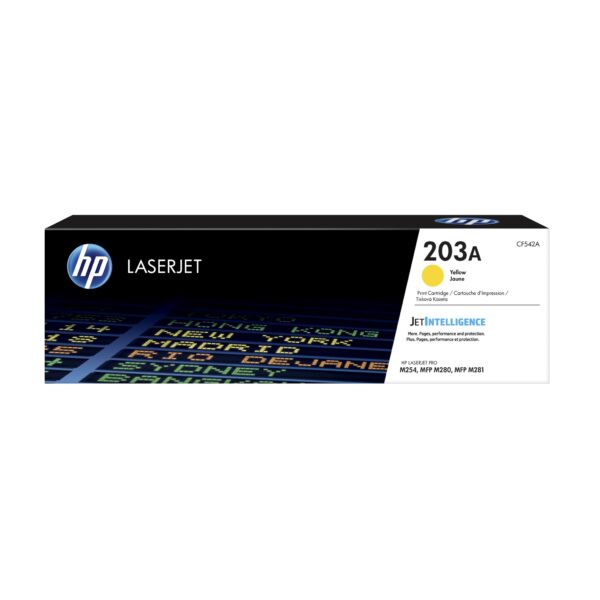
HP 203A Yellow Original LaserJet Toner Cartridge (CF542A)
In stock
Color(s) of printing supplies: Yellow
Print technology: Laser
Page yield (colour): 1,300 pages
Product successfully added to the Quote List
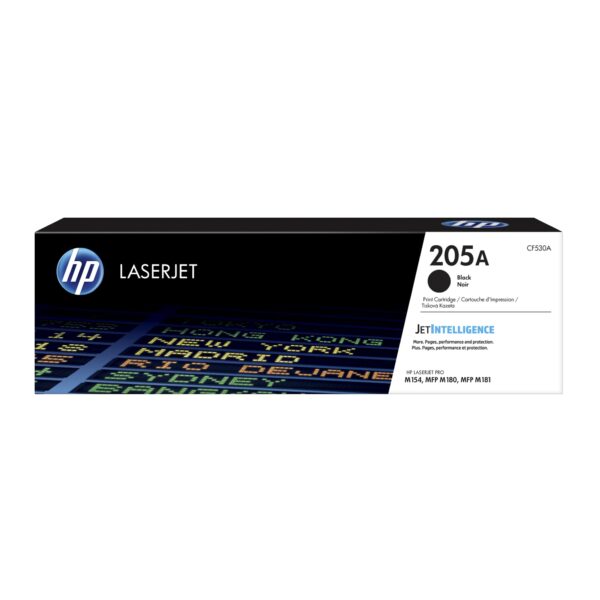
HP 205A Black Original LaserJet Toner Cartridge (CF530A)
In stock
Color(s) of printing supplies: Black
Print technology: Laser
Page yield (black and white): 1,100 pages
Product successfully added to the Quote List

HP 205A Cyan Original LaserJet Toner Cartridge (CF531A)
In stock
Color(s) of printing supplies: Cyan
Print technology: Laser
Page yield (colour): 900 pages
Product successfully added to the Quote List
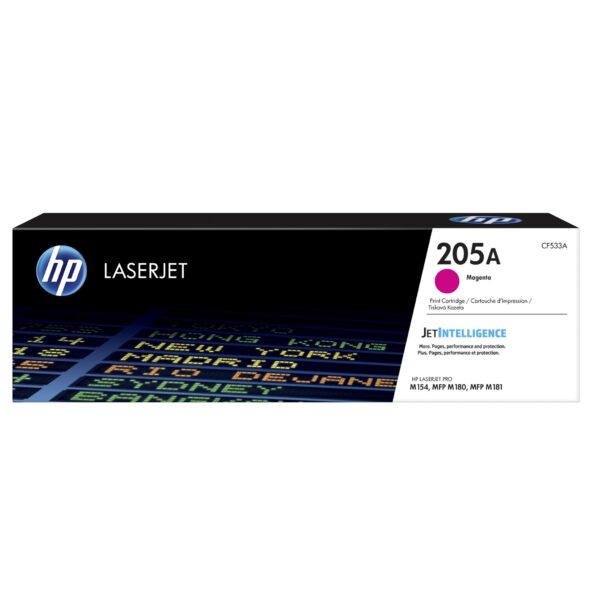
HP 205A Magenta Original LaserJet Toner Cartridge (CF533A)
In stock
Color(s) of printing supplies: Magenta
Print technology: Laser
Page yield (colour): 900 pages
Product successfully added to the Quote List
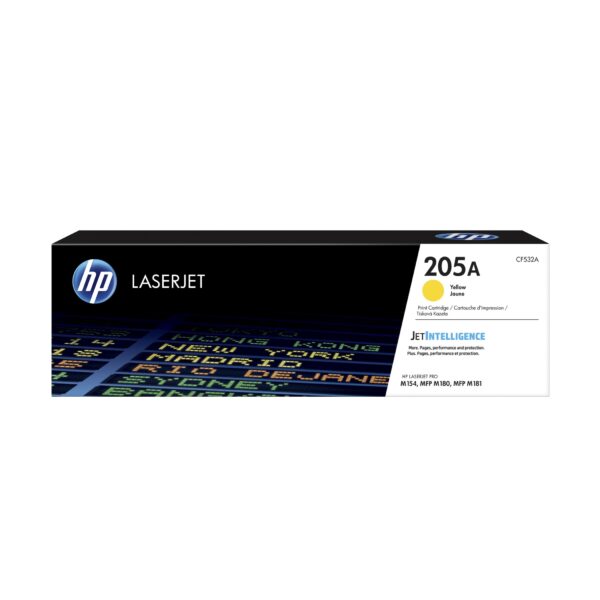
HP 205A Yellow Original LaserJet Toner Cartridge (CF532A)
In stock
Color(s) of printing supplies: Yellow
Print technology: Laser
Page yield (colour): 900 pages
Product successfully added to the Quote List
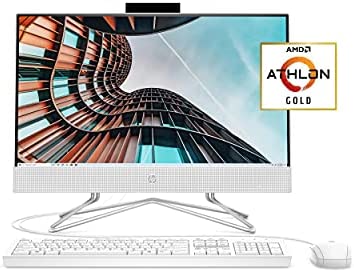
HP 22 All-in-One PC, AMD Athlon Gold 3150U Processor, 4 GB RAM, 256 GB SSD, Full HD IPS 21.5-inch Anti-glare Display, Windows 10 Home, USB Mouse and Keyboard (22-df0022, 2020)
In stock
The HP 22 All-in-One PC blends the power of a desktop with the beauty of a slim, modern display into one dependable device designed to grow with you. Tackle your busiest days and save everything you love with the performance of a reliable AMD processor. A Solid State Drive of 256 GB gives this HP desktop computer the responsiveness you crave, while the expandable RAM makes multitasking a breeze. With easy upgrades in three simple steps, you can feel confident your tech will stay on trend. Conveniently placed ports help keep cords out of the way, so your space feels clean and uncluttered. A three-sided micro-edge display lets you see more of your screen and achieve the remote work office you’ve always wanted with the HP TrueVision HD pop-up privacy camera integrated with the dual array digital microphone. Your setup has never been more modern than with the Windows 10 operating system and wired mouse and keyboard combo. For 80 years, we’ve had your back. Trusted by millions of customers, the HP brand puts dependable technology above all else. That’s why our PCs go through over 230 individual tests to ensure you’re getting a powerful, reliable PC that’s going to last. (Model: 22-df0022).
MORE THAN A TOWER: The HP All-in-One PC blends the power of a desktop with the beauty of a slim, modern display into one dependable device designed to grow with you.
EVERYTHING YOU DO FEELS FAST: Tackle your busiest days and save everything you love with the performance of a reliable AMD Athlon(TM) Gold 3150U processor. Boot up in seconds and store more of what you love with 256 GB of SSD storage
AMD RADEON(TM) GRAPHICS: Whether it’s games or movies, experience performance for all your entertainment
STAY CONNECTED: Work care-free and keep in touch with colleagues and friends with the HP TrueVision HD camera, dual array microphone, and dual front-facing speakers. The pop-up camera is only enabled when in use, securing your privacy.
WINDOWS 10 HOME: Do great things confidently with the familiar feel of Windows – only better.
FHD DISPLAY: 2 million pixels for crystal-clear visuals and vibrant image quality. Enjoy clear, vivid images with 178-degree wide-viewing angles with an IPS panel.
HDMI OUT: Transmit digital HD video and sound to an external display.
Product successfully added to the Quote List
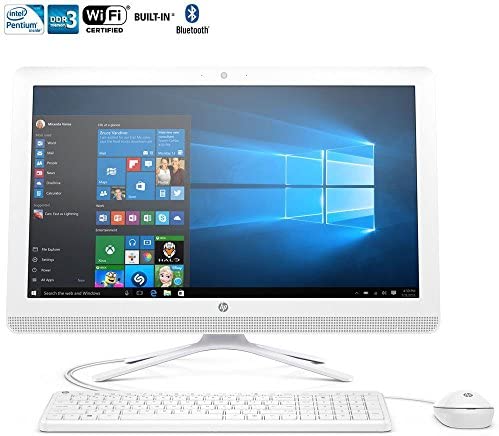
HP 22-b016 All-in-One Desktop (Intel Pentium J3710, 4Gb Ram, 1Tb HDD) with Windows 10
In stock
Redesigned. Reliable. Ready for you. Whether your family is looking to surf, stream or tackle that next big assignment, this budget friendly all-in-one has been redesigned to give everyone what they need. With windows 10, you’ll experience fast start-ups, a familiar yet expanded start menu, and great new ways to get stuff done.
Intel pentium J3710, 1.6Ghz, quad-core processor
4 gb ddr3l-1600 sdram memory
More productive. Windows 10 is the best for bringing ideas forward and getting things done.
1 tb 7200Rpm sata hard drive, ultra slim-tray supermulti dvd burner
21.5″ diagonal widescreen fhd ips wled-backlit display (1920 x 1080)
Product successfully added to the Quote List
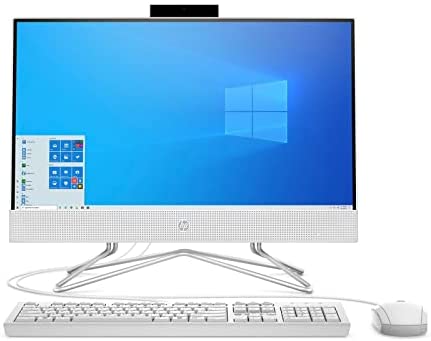
HP 22-DF 21.5-Inch Full HD WLED All-in-One PC Intel Celeron G5900T 4GB 256GB SSD Win 10 (White)
In stock
Brown Box sells computers with upgraded configurations. If the computer has modifications (listed above), then the manufacturer box is opened for it to be tested and inspected and to install the upgrades to achieve the specifications as advertised. If no modifications are listed, the item is unopened and untested. Brown Box provides one year hassel free warranty for free.
KEY SPECIFICATIONS:
CPU:
Intel Celeron G5900T Dual-Core Processor (3.2 GHz)
Memory:
4GB DDR4-2666 SDRAM
Hard Drive:
256GB PCIe NVMe M.2 Solid State Drive (SSD)
Display:
21.5-inch Full HD IPS ZBD Ani Glare WLED-backlit 3-Sided micro-edge Display 1920 x 1080
Graphics:
Intel UHD Graphics 630
Operating system:
Windows 10 Home
Audio:
Dual 2W speakers
Camera:
Truevision HD privacy camera with integrated dual array digital microphone
DVD writer:
Yes
Power:
90W Smart AC power adapter
Weight:
17.45 lbs
Dimensions:
23.3 x 10.7 x 18.7 inches
Accessories:
w/ 9H HDMI Cable
[Processor]:Intel Celeron G5900T Dual-Core Processor (3.2 GHz).
[Display]:21.5-inch Full HD IPS ZBD Ani Glare WLED-backlit 3-Sided micro-edge Display 1920 x 1080 .
[Memory& Hard drive]:4GB RAM|256GB SSD(Solid State Drive) .
[Ports]:2 SuperSpeed USB Type-A | 2 USB 2.0 Type-A | 1 HDMI Out 2.0 | 3-in-1 Media Card Reader | Headphone / microphone combo jack.
Product successfully added to the Quote List
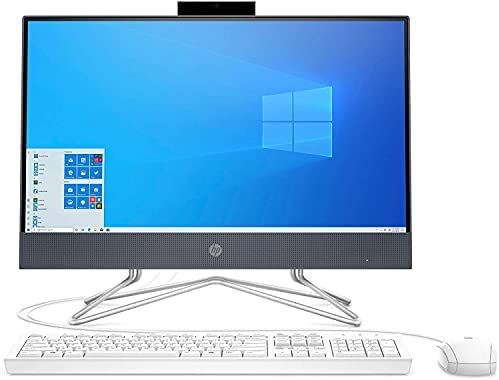
HP 22-DF 21.5-Inch Full HD WLED All-in-One PC Intel Celeron G5900T 4GB 512GB SSD Win 10 (White)
In stock
Brown Box sells computers with upgraded configurations. If the computer has modifications (listed above), then the manufacturer box is opened for it to be tested and inspected and to install the upgrades to achieve the specifications as advertised. If no modifications are listed, the item is unopened and untested. Brown Box provides one year hassel free warranty for free.
KEY SPECIFICATIONS:
CPU:
Intel Celeron G5900T Dual-Core Processor (3.2 GHz)
Memory:
4GB DDR4-2666 SDRAM
Hard Drive:
512GB PCIe NVMe M.2 Solid State Drive (SSD)
Display:
21.5-inch Full HD IPS ZBD Ani Glare WLED-backlit 3-Sided micro-edge Display 1920 x 1080
Graphics:
Intel UHD Graphics 630
Operating system:
Windows 10 Home
Audio:
Dual 2W speakers
Camera:
Truevision HD privacy camera with integrated dual array digital microphone
DVD writer:
Yes
Power:
90W Smart AC power adapter
Weight:
17.45 lbs
Dimensions:
23.3 x 10.7 x 18.7 inches
Accessories:
w/ 9H HDMI Cable
[Processor]:Intel Celeron G5900T Dual-Core Processor (3.2 GHz).
[Display]:21.5-inch Full HD IPS ZBD Ani Glare WLED-backlit 3-Sided micro-edge Display 1920 x 1080 .
[Memory& Hard drive]:4GB RAM|512GB SSD(Solid State Drive) .
[Ports]:2 SuperSpeed USB Type-A | 2 USB 2.0 Type-A | 1 HDMI Out 2.0 | 3-in-1 Media Card Reader | Headphone / microphone combo jack.
Product successfully added to the Quote List
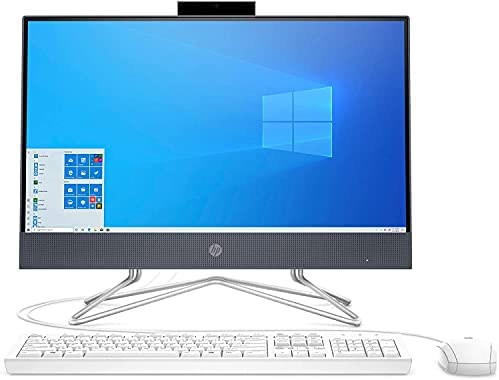
HP 22-DF 21.5-Inch Full HD WLED All-in-One PC Intel Celeron G5900T 8GB 512GB SSD Win 10 (White)
In stock
Brown Box sells computers with upgraded configurations. If the computer has modifications (listed above), then the manufacturer box is opened for it to be tested and inspected and to install the upgrades to achieve the specifications as advertised. If no modifications are listed, the item is unopened and untested. Brown Box provides one year hassel free warranty for free.
KEY SPECIFICATIONS:
CPU:
Intel Celeron G5900T Dual-Core Processor (3.2 GHz)
Memory:
8GB DDR4-2666 SDRAM
Hard Drive:
512GB Solid State Drive (SSD)
Display:
21.5-inch Full HD IPS ZBD Ani Glare WLED-backlit 3-Sided micro-edge Display 1920 x 1080
Graphics:
Intel UHD Graphics 630
Operating system:
Windows 10 Home
Audio:
Dual 2W speakers
Camera:
Truevision HD privacy camera with integrated dual array digital microphone
DVD writer:
Yes
Power:
90W Smart AC power adapter
Weight:
17.45 lbs
Dimensions:
23.3 x 10.7 x 18.7 inches
Accessories:
w/ 9H HDMI Cable
[Processor]:Intel Celeron G5900T Dual-Core Processor (3.2 GHz).
[Display]:21.5-inch Full HD IPS ZBD Ani Glare WLED-backlit 3-Sided micro-edge Display 1920 x 1080 .
[Memory& Hard drive]:8GB RAM|512GB SSD(Solid State Drive) .
[Ports]:2 SuperSpeed USB Type-A | 2 USB 2.0 Type-A | 1 HDMI Out 2.0 | 3-in-1 Media Card Reader | Headphone / microphone combo jack.
