
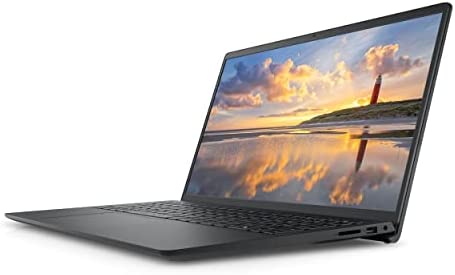
2022 Newest Dell Inspiron 3510 Laptop, 15.6 HD Display, Intel Celeron N4020 Processor, 16GB DDR4 RAM, 128GB PCIe SSD + 1TB HDD, Webcam, WiFi, HDMI, Bluetooth, Win10 Home, Black
In stock
Key Features and Benefits:
CPU: Intel Celeron N4020 Dual-Core Processor (4MB Cache, Base Frequency at 1.1 GHz, Up to 2.8GHz)
Memory: 16GB DDR4 SDRAM
Hard Drive: 128GB PCIe Solid State Drive + 1TB Hard Disk Drive
Operating System: Windows 10
Display: 15.6-inch HD (1366 x 768) Anti-Glare LED-Backlit Non-touch Display
Touchscreen: No
Screen Resolution: 1366 x 768
Backlit Keyboard: No
Ports: 1 x SD Card Reader, 1 x USB 2.0, 1 x Wedge-shaped lock slot, 1 x Power, 1 x HDMI 1.4b, 2 x USB 3.1 Gen 1, 1 x Headphone & Microphone Audio Jack
Video: Intel UHD Graphcis
Audio: Stereo Speakers
Media Drive: Multi-format SD Media Card Reader
Optical Drive: None
Wireless Connectivity: 802.11ac 1×1 WiFi and Bluetooth
Built-in HD Webcam with Microphone: Yes
Battery: 3-Cell, 42 WHr, Integrated battery
Bluetooth: Yes
Weight: 3.91 Pounds
Color: Black
【High Speed RAM And Enormous Space】16GB high-bandwidth RAM to smoothly run multiple applications and browser tabs all at once; 128GB PCIe Solid State Drive + 1TB Hard Disk Drive allows to fast bootup and data transfer
【Processor】Intel Celeron N4020 Dual-Core Processor (4MB Cache, Base Frequency at 1.1 GHz, Up to 2.8GHz)
【Display 】15.6-inch HD (1366 x 768) Anti-Glare LED-Backlit Non-touch Display, Intel UHD Graphics with Shared Graphics Memory
【Tech Specs】802.11ac 1×1 WiFi and Bluetooth, 1 x SD Card Reader, 1 x USB 2.0, 1 x Power, 1 x HDMI 1.4b, 2 x USB 3.1 Gen 1, 1 x Headphone & Microphone Audio Jack, Win10 Home
【Operating System】Windows 10 Home-The Windows 10 Home operating system offers built-in security and app like Mail, Calendar, Photo, Microsoft Edge, and more to help keep you safe and productive (Free Upgrade to Windows 11)
Product successfully added to the Quote List
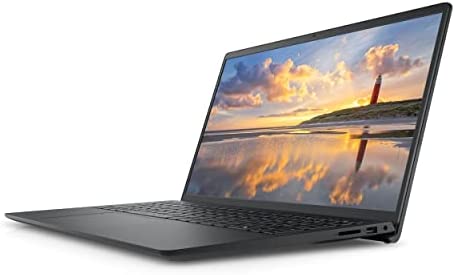
2022 Newest Dell Inspiron 3510 Laptop, 15.6 HD Display, Intel Celeron N4020 Processor, 16GB DDR4 RAM, 128GB PCIe SSD + 1TB HDD, Webcam, WiFi, HDMI, Bluetooth, Win10 Home, Black
In stock
Key Features and Benefits:
CPU: Intel Celeron N4020 Dual-Core Processor (4MB Cache, Base Frequency at 1.1 GHz, Up to 2.8GHz)
Memory: 16GB DDR4 SDRAM
Hard Drive: 128GB PCIe Solid State Drive + 1TB Hard Disk Drive
Operating System: Windows 10
Display: 15.6-inch HD (1366 x 768) Anti-Glare LED-Backlit Non-touch Display
Touchscreen: No
Screen Resolution: 1366 x 768
Backlit Keyboard: No
Ports: 1 x SD Card Reader, 1 x USB 2.0, 1 x Power, 1 x HDMI 1.4b, 2 x USB 3.1 Gen 1, 1 x Headphone & Microphone Audio Jack
Video: Intel UHD Graphcis
Audio: Stereo Speakers
Media Drive: Multi-format SD Media Card Reader
Optical Drive: None
Wireless Connectivity: 802.11ac 1×1 WiFi and Bluetooth
Built-in HD Webcam with Microphone: Yes
Battery: 3-Cell, 42 WHr, Integrated battery
Bluetooth: Yes
Weight: 3.91 Pounds
Color: Black
【High Speed RAM And Enormous Space】16GB high-bandwidth RAM to smoothly run multiple applications and browser tabs all at once; 128GB PCIe Solid State Drive + 1TB Hard Disk Drive allows to fast bootup and data transfer
【Processor】Intel Celeron N4020 Dual-Core Processor (4MB Cache, Base Frequency at 1.1 GHz, Up to 2.8GHz)
【Display 】15.6-inch HD (1366 x 768) Anti-Glare LED-Backlit Non-touch Display, Intel UHD Graphics with Shared Graphics Memory
【Tech Specs】802.11ac 1×1 WiFi and Bluetooth, 1 x SD Card Reader, 1 x USB 2.0, 1 x Power, 1 x HDMI 1.4b, 2 x USB 3.1 Gen 1, 1 x Headphone & Microphone Audio Jack, Win10 Home
【Operating System】Windows 10 Home-The Windows 10 Home operating system offers built-in security and app like Mail, Calendar, Photo, Microsoft Edge, and more to help keep you safe and productive (Free Upgrade to Windows 11)
Product successfully added to the Quote List
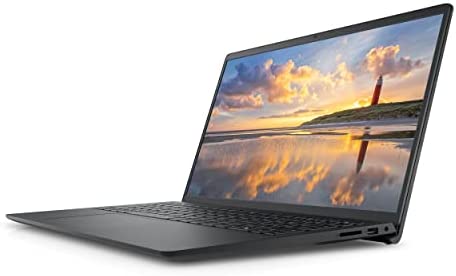
2022 Newest Dell Inspiron 3510 Laptop, 15.6 HD Display, Intel Celeron N4020 Processor, 16GB DDR4 RAM, 1TB HDD, Webcam, WiFi, HDMI, Bluetooth, Win10 Home, Black
In stock
Key Features and Benefits:
CPU: Intel Celeron N4020 Dual-Core Processor (4MB Cache, Base Frequency at 1.1 GHz, Up to 2.8GHz)
Memory: 16GB DDR4 SDRAM
Hard Drive: 1TB Hard Disk Drive
Operating System: Windows 10
Display: 15.6-inch HD (1366 x 768) Anti-Glare LED-Backlit Non-touch Display
Touchscreen: No
Screen Resolution: 1366 x 768
Backlit Keyboard: No
Ports: 1 x SD Card Reader, 1 x USB 2.0, 1 x Wedge-shaped lock slot, 1 x Power, 1 x HDMI 1.4b, 2 x USB 3.1 Gen 1, 1 x Headphone & Microphone Audio Jack
Video: Intel UHD Graphcis
Audio: Stereo Speakers
Media Drive: Multi-format SD Media Card Reader
Optical Drive: None
Wireless Connectivity: 802.11ac 1×1 WiFi and Bluetooth
Built-in HD Webcam with Microphone: Yes
Battery: 3-Cell, 42 WHr, Integrated battery
Bluetooth: Yes
Weight: 3.91 Pounds
Color: Black
【High Speed RAM And Enormous Space】16GB high-bandwidth RAM to smoothly run multiple applications and browser tabs all at once; 1TB Hard Disk Drive for ample storage space
【Processor】Intel Celeron N4020 Dual-Core Processor (4MB Cache, Base Frequency at 1.1 GHz, Up to 2.8GHz)
【Display 】15.6-inch HD (1366 x 768) Anti-Glare LED-Backlit Non-touch Display, Intel UHD Graphics with Shared Graphics Memory
【Tech Specs】802.11ac 1×1 WiFi and Bluetooth, 1 x SD Card Reader, 1 x USB 2.0, 1 x Power, 1 x HDMI 1.4b, 2 x USB 3.1 Gen 1, 1 x Headphone & Microphone Audio Jack, Win10 Home
【Operating System】Windows 10 Home-The Windows 10 Home operating system offers built-in security and app like Mail, Calendar, Photo, Microsoft Edge, and more to help keep you safe and productive (Free Upgrade to Windows 11)
Product successfully added to the Quote List
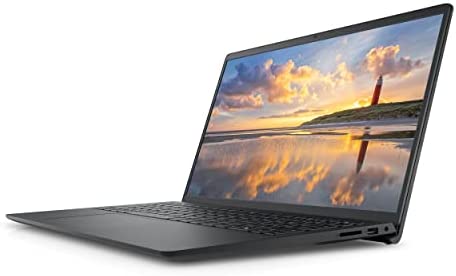
2022 Newest Dell Inspiron 3510 Laptop, 15.6 HD Display, Intel Celeron N4020 Processor, 16GB DDR4 RAM, 1TB PCIe SSD, Webcam, WiFi, HDMI, Bluetooth, Win10 Home, Black
In stock
Key Features and Benefits:
CPU: Intel Celeron N4020 Dual-Core Processor (4MB Cache, Base Frequency at 1.1 GHz, Up to 2.8GHz)
Memory: 16GB DDR4 SDRAM
Hard Drive: 1TB PCIe Solid State Drive
Operating System: Windows 10
Display: 15.6-inch HD (1366 x 768) Anti-Glare LED-Backlit Non-touch Display
Touchscreen: No
Screen Resolution: 1366 x 768
Backlit Keyboard: No
Ports: 1 x SD Card Reader, 1 x USB 2.0, 1 x Wedge-shaped lock slot, 1 x Power, 1 x HDMI 1.4b, 2 x USB 3.1 Gen 1, 1 x Headphone & Microphone Audio Jack
Video: Intel UHD Graphcis
Audio: Stereo Speakers
Media Drive: Multi-format SD Media Card Reader
Optical Drive: None
Wireless Connectivity: 802.11ac 1×1 WiFi and Bluetooth
Built-in HD Webcam with Microphone: Yes
Battery: 3-Cell, 42 WHr, Integrated battery
Bluetooth: Yes
Weight: 3.91 Pounds
Color: Black
Product successfully added to the Quote List
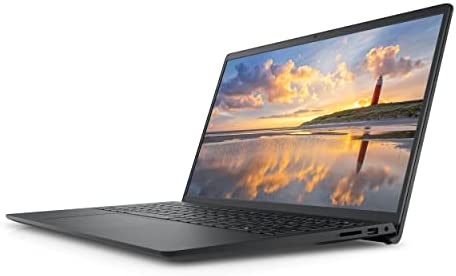
2022 Newest Dell Inspiron 3510 Laptop, 15.6 HD Display, Intel Celeron N4020 Processor, 16GB DDR4 RAM, 256GB PCIe SSD + 1TB HDD, Webcam, WiFi, HDMI, Bluetooth, Win10 Home, Black
In stock
Key Features and Benefits:
CPU: Intel Celeron N4020 Dual-Core Processor (4MB Cache, Base Frequency at 1.1 GHz, Up to 2.8GHz)
Memory: 16GB DDR4 SDRAM
Hard Drive: 256GB PCIe Solid State Drive + 1TB Hard Disk Drive
Operating System: Windows 10
Display: 15.6-inch HD (1366 x 768) Anti-Glare LED-Backlit Non-touch Display
Touchscreen: No
Screen Resolution: 1366 x 768
Backlit Keyboard: No
Ports: 1 x SD Card Reader, 1 x USB 2.0, 1 x Wedge-shaped lock slot, 1 x Power, 1 x HDMI 1.4b, 2 x USB 3.1 Gen 1, 1 x Headphone & Microphone Audio Jack
Video: Intel UHD Graphcis
Audio: Stereo Speakers
Media Drive: Multi-format SD Media Card Reader
Optical Drive: None
Wireless Connectivity: 802.11ac 1×1 WiFi and Bluetooth
Built-in HD Webcam with Microphone: Yes
Battery: 3-Cell, 42 WHr, Integrated battery
Bluetooth: Yes
Weight: 3.91 Pounds
Color: Black
【High Speed RAM And Enormous Space】16GB high-bandwidth RAM to smoothly run multiple applications and browser tabs all at once; 256GB PCIe Solid State Drive + 1TB Hard Disk Drive allows to fast bootup and data transfer
【Processor】Intel Celeron N4020 Dual-Core Processor (4MB Cache, Base Frequency at 1.1 GHz, Up to 2.8GHz)
【Display 】15.6-inch HD (1366 x 768) Anti-Glare LED-Backlit Non-touch Display, Intel UHD Graphics with Shared Graphics Memory
【Tech Specs】802.11ac 1×1 WiFi and Bluetooth, 1 x SD Card Reader, 1 x USB 2.0, 1 x Power, 1 x HDMI 1.4b, 2 x USB 3.1 Gen 1, 1 x Headphone & Microphone Audio Jack, Win10 Home
【Operating System】Windows 10 Home-The Windows 10 Home operating system offers built-in security and app like Mail, Calendar, Photo, Microsoft Edge, and more to help keep you safe and productive (Free Upgrade to Windows 11)
Product successfully added to the Quote List
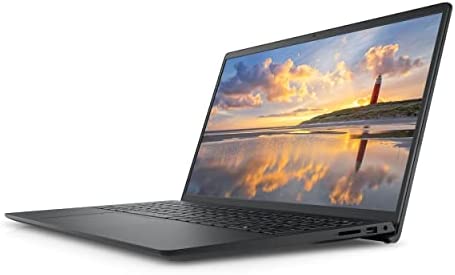
2022 Newest Dell Inspiron 3510 Laptop, 15.6 HD Display, Intel Celeron N4020 Processor, 16GB DDR4 RAM, 2TB HDD, Webcam, WiFi, HDMI, Bluetooth, Win10 Home, Black
In stock
Key Features and Benefits:
CPU: Intel Celeron N4020 Dual-Core Processor (4MB Cache, Base Frequency at 1.1 GHz, Up to 2.8GHz)
Memory: 16GB DDR4 SDRAM
Hard Drive: 2TB Hard Disk Drive
Operating System: Windows 10
Display: 15.6-inch HD (1366 x 768) Anti-Glare LED-Backlit Non-touch Display
Touchscreen: No
Screen Resolution: 1366 x 768
Backlit Keyboard: No
Ports: 1 x SD Card Reader, 1 x USB 2.0, 1 x Wedge-shaped lock slot, 1 x Power, 1 x HDMI 1.4b, 2 x USB 3.1 Gen 1, 1 x Headphone & Microphone Audio Jack
Video: Intel UHD Graphcis
Audio: Stereo Speakers
Media Drive: Multi-format SD Media Card Reader
Optical Drive: None
Wireless Connectivity: 802.11ac 1×1 WiFi and Bluetooth
Built-in HD Webcam with Microphone: Yes
Battery: 3-Cell, 42 WHr, Integrated battery
Bluetooth: Yes
Weight: 3.91 Pounds
Color: Black
【High Speed RAM And Enormous Space】16GB high-bandwidth RAM to smoothly run multiple applications and browser tabs all at once; 2TB Hard Disk Drive for ample storage space
【Processor】Intel Celeron N4020 Dual-Core Processor (4MB Cache, Base Frequency at 1.1 GHz, Up to 2.8GHz)
【Display 】15.6-inch HD (1366 x 768) Anti-Glare LED-Backlit Non-touch Display, Intel UHD Graphics with Shared Graphics Memory
【Tech Specs】802.11ac 1×1 WiFi and Bluetooth, 1 x SD Card Reader, 1 x USB 2.0, 1 x Power, 1 x HDMI 1.4b, 2 x USB 3.1 Gen 1, 1 x Headphone & Microphone Audio Jack, Win10 Home
【Operating System】Windows 10 Home-The Windows 10 Home operating system offers built-in security and app like Mail, Calendar, Photo, Microsoft Edge, and more to help keep you safe and productive (Free Upgrade to Windows 11)
Product successfully added to the Quote List
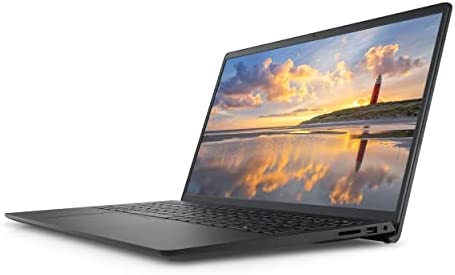
2022 Newest Dell Inspiron 3510 Laptop, 15.6 HD Display, Intel Celeron N4020 Processor, 16GB DDR4 RAM, 512GB PCIe SSD + 1TB HDD, Webcam, WiFi, HDMI, Bluetooth, Win10 Home, Black
In stock
Key Features and Benefits:
CPU: Intel Celeron N4020 Dual-Core Processor (4MB Cache, Base Frequency at 1.1 GHz, Up to 2.8GHz)
Memory: 16GB DDR4 SDRAM
Hard Drive: 512GB PCIe Solid State Drive + 1TB Hard Disk Drive
Operating System: Windows 10
Display: 15.6-inch HD (1366 x 768) Anti-Glare LED-Backlit Non-touch Display
Touchscreen: No
Screen Resolution: 1366 x 768
Backlit Keyboard: No
Ports: 1 x SD Card Reader, 1 x USB 2.0, 1 x Wedge-shaped lock slot, 1 x Power, 1 x HDMI 1.4b, 2 x USB 3.1 Gen 1, 1 x Headphone & Microphone Audio Jack
Video: Intel UHD Graphcis
Audio: Stereo Speakers
Media Drive: Multi-format SD Media Card Reader
Optical Drive: None
Wireless Connectivity: 802.11ac 1×1 WiFi and Bluetooth
Built-in HD Webcam with Microphone: Yes
Battery: 3-Cell, 42 WHr, Integrated battery
Bluetooth: Yes
Weight: 3.91 Pounds
Color: Black
【High Speed RAM And Enormous Space】16GB high-bandwidth RAM to smoothly run multiple applications and browser tabs all at once; 512GB PCIe Solid State Drive + 1TB Hard Disk Drive allows to fast bootup and data transfer
【Processor】Intel Celeron N4020 Dual-Core Processor (4MB Cache, Base Frequency at 1.1 GHz, Up to 2.8GHz)
【Display 】15.6-inch HD (1366 x 768) Anti-Glare LED-Backlit Non-touch Display, Intel UHD Graphics with Shared Graphics Memory
【Tech Specs】802.11ac 1×1 WiFi and Bluetooth, 1 x SD Card Reader, 1 x USB 2.0, 1 x Power, 1 x HDMI 1.4b, 2 x USB 3.1 Gen 1, 1 x Headphone & Microphone Audio Jack, Win10 Home
【Operating System】Windows 10 Home-The Windows 10 Home operating system offers built-in security and app like Mail, Calendar, Photo, Microsoft Edge, and more to help keep you safe and productive (Free Upgrade to Windows 11)
Product successfully added to the Quote List
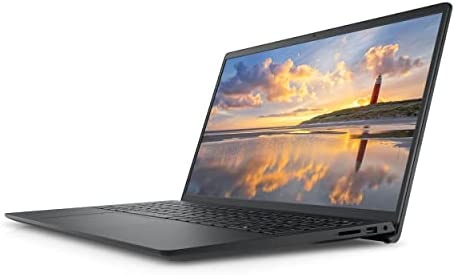
2022 Newest Dell Inspiron 3510 Laptop, 15.6 HD Display, Intel Celeron N4020 Processor, 16GB DDR4 RAM, 512GB PCIe SSD, Webcam, WiFi, HDMI, Bluetooth, Win10 Home, Black
In stock
Key Features and Benefits:
CPU: Intel Celeron N4020 Dual-Core Processor (4MB Cache, Base Frequency at 1.1 GHz, Up to 2.8GHz)
Memory: 16GB DDR4 SDRAM
Hard Drive: 512GB PCIe Solid State Drive
Operating System: Windows 10
Display: 15.6-inch HD (1366 x 768) Anti-Glare LED-Backlit Non-touch Display
Touchscreen: No
Screen Resolution: 1366 x 768
Backlit Keyboard: No
Ports: 1 x SD Card Reader, 1 x USB 2.0, 1 x Wedge-shaped lock slot, 1 x Power, 1 x HDMI 1.4b, 2 x USB 3.1 Gen 1, 1 x Headphone & Microphone Audio Jack
Video: Intel UHD Graphcis
Audio: Stereo Speakers
Media Drive: Multi-format SD Media Card Reader
Optical Drive: None
Wireless Connectivity: 802.11ac 1×1 WiFi and Bluetooth
Built-in HD Webcam with Microphone: Yes
Battery: 3-Cell, 42 WHr, Integrated battery
Bluetooth: Yes
Weight: 3.91 Pounds
Color: Black
【High Speed RAM And Enormous Space】16GB high-bandwidth RAM to smoothly run multiple applications and browser tabs all at once; 512GB PCIe NVME M.2 Solid State Drive allows to fast bootup and data transfer
【Processor】Intel Celeron N4020 Dual-Core Processor (4MB Cache, Base Frequency at 1.1 GHz, Up to 2.8GHz)
【Display 】15.6-inch HD (1366 x 768) Anti-Glare LED-Backlit Non-touch Display, Intel UHD Graphics with Shared Graphics Memory
【Tech Specs】802.11ac 1×1 WiFi and Bluetooth, 1 x SD Card Reader, 1 x USB 2.0, 1 x Power, 1 x HDMI 1.4b, 2 x USB 3.1 Gen 1, 1 x Headphone & Microphone Audio Jack, Win10 Home
【Operating System】Windows 10 Home-The Windows 10 Home operating system offers built-in security and app like Mail, Calendar, Photo, Microsoft Edge, and more to help keep you safe and productive (Free Upgrade to Windows 11)
Product successfully added to the Quote List
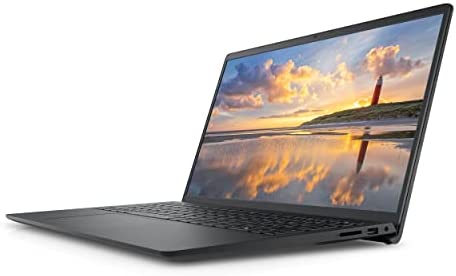
2022 Newest Dell Inspiron 3510 Laptop, 15.6 HD Display, Intel Celeron N4020 Processor, 8GB DDR4 RAM, 2TB HDD, Webcam, WiFi, HDMI, Bluetooth, Win10 Home, Black
In stock
Key Features and Benefits:
CPU: Intel Celeron N4020 Dual-Core Processor (4MB Cache, Base Frequency at 1.1 GHz, Up to 2.8GHz)
Memory: 8GB DDR4 SDRAM
Hard Drive: 2TB Hard Disk Drive
Operating System: Windows 10
Display: 15.6-inch HD (1366 x 768) Anti-Glare LED-Backlit Non-touch Display
Touchscreen: No
Screen Resolution: 1366 x 768
Backlit Keyboard: No
Ports: 1 x SD Card Reader, 1 x USB 2.0, 1 x Wedge-shaped lock slot, 1 x Power, 1 x HDMI 1.4b, 2 x USB 3.1 Gen 1, 1 x Headphone & Microphone Audio Jack
Video: Intel UHD Graphcis
Audio: Stereo Speakers
Media Drive: Multi-format SD Media Card Reader
Optical Drive: None
Wireless Connectivity: 802.11ac 1×1 WiFi and Bluetooth
Built-in HD Webcam with Microphone: Yes
Battery: 3-Cell, 42 WHr, Integrated battery
Bluetooth: Yes
Weight: 3.91 Pounds
Color: Black
【High Speed RAM And Enormous Space】8GB high-bandwidth RAM to smoothly run multiple applications and browser tabs all at once; 2TB Hard Disk Drive for ample storage space
【Processor】Intel Celeron N4020 Dual-Core Processor (4MB Cache, Base Frequency at 1.1 GHz, Up to 2.8GHz)
【Display 】15.6-inch HD (1366 x 768) Anti-Glare LED-Backlit Non-touch Display, Intel UHD Graphics with Shared Graphics Memory
【Tech Specs】802.11ac 1×1 WiFi and Bluetooth, 1 x SD Card Reader, 1 x USB 2.0, 1 x Power, 1 x HDMI 1.4b, 2 x USB 3.1 Gen 1, 1 x Headphone & Microphone Audio Jack, Win10 Home
【Operating System】Windows 10 Home-The Windows 10 Home operating system offers built-in security and app like Mail, Calendar, Photo, Microsoft Edge, and more to help keep you safe and productive (Free Upgrade to Windows 11)
Product successfully added to the Quote List
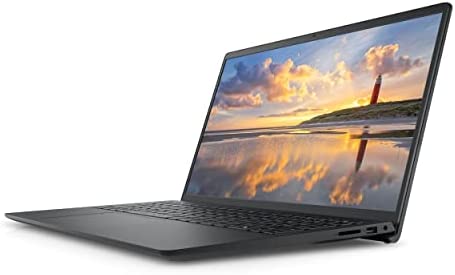
2022 Newest Dell Inspiron 3510 Laptop, 15.6″ HD Display, Intel Celeron N4020 Processor, 16GB DDR4 RAM, 512GB PCIe SSD, Webcam, WiFi, HDMI, Bluetooth, Windows 10 Home, Black
In stock
Key Features and Benefits:
CPU: Intel Celeron N4020 Dual-Core Processor (4MB Cache, Base Frequency at 1.1 GHz, Up to 2.8GHz)
Memory: 16GB DDR4 SDRAM
Hard Drive: 512GB PCIe Solid State Drive
Operating System: Windows 10 Home
Display: 15.6-inch HD (1366 x 768) Anti-Glare LED-Backlit Non-touch Display
Touchscreen: No
Screen Resolution: 1366 x 768
Backlit Keyboard: No
Ports: 1 x SD Card Reader, 1 x USB 2.0, 1 x Wedge-shaped lock slot, 1 x Power, 1 x HDMI 1.4b, 2 x USB 3.1 Gen 1, 1 x Headphone & Microphone Audio Jack
Video: Intel UHD Graphcis
Audio: Stereo Speakers
Media Drive: Multi-format SD Media Card Reader
Optical Drive: None
Wireless Connectivity: 802.11ac 1×1 WiFi and Bluetooth
Built-in HD Webcam with Microphone: Yes
Battery: 3-Cell, 42 WHr, Integrated battery
Bluetooth: Yes
Weight: 3.91 Pounds
Color: Black
【High Speed RAM And Enormous Space】16GB high-bandwidth RAM to smoothly run multiple applications and browser tabs all at once; 512GB PCIe NVME M.2 Solid State Drive allows to fast bootup and data transfer
【Processor】Intel Celeron N4020 Dual-Core Processor (4MB Cache, Base Frequency at 1.1 GHz, Up to 2.8GHz)
【Display 】15.6-inch HD (1366 x 768) Anti-Glare LED-Backlit Non-touch Display, Intel UHD Graphics with Shared Graphics Memory
【Tech Specs】802.11ac 1×1 WiFi and Bluetooth, 1 x SD Card Reader, 1 x USB 2.0, 1 x Wedge-shaped lock slot, 1 x Power, 1 x HDMI 1.4b, 2 x USB 3.1 Gen 1, 1 x Headphone & Microphone Audio Jack
【Operating System】Windows 10 Home-The Windows 10 Home operating system offers built-in security and app like Mail, Calendar, Photo, Microsoft Edge, and more to help keep you safe and productive (Free Upgrade to Windows 11)
Product successfully added to the Quote List
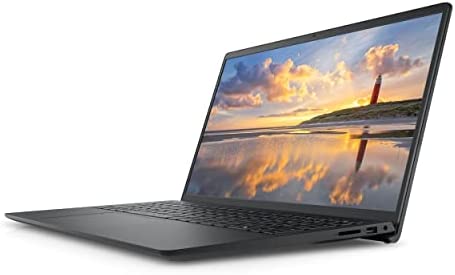
2022 Newest Dell Inspiron 3510 Laptop, 15.6″ HD Display, Intel Celeron N4020 Processor, 8GB DDR4 RAM, 256GB PCIe SSD, Webcam, WiFi, HDMI, Bluetooth, Windows 10 Home, Black
In stock
Key Features and Benefits:
CPU: Intel Celeron N4020 Dual-Core Processor (4MB Cache, Base Frequency at 1.1 GHz, Up to 2.8GHz)
Memory: 8GB DDR4 SDRAM
Hard Drive: 256GB PCIe Solid State Drive
Operating System: Windows 10 Home
Display: 15.6-inch HD (1366 x 768) Anti-Glare LED-Backlit Non-touch Display
Touchscreen: No
Screen Resolution: 1366 x 768
Backlit Keyboard: No
Ports: 1 x SD Card Reader, 1 x USB 2.0, 1 x Wedge-shaped lock slot, 1 x Power, 1 x HDMI 1.4b, 2 x USB 3.1 Gen 1, 1 x Headphone & Microphone Audio Jack
Video: Intel UHD Graphcis
Audio: Stereo Speakers
Media Drive: Multi-format SD Media Card Reader
Optical Drive: None
Wireless Connectivity: 802.11ac 1×1 WiFi and Bluetooth
Built-in HD Webcam with Microphone: Yes
Battery: 3-Cell, 42 WHr, Integrated battery
Bluetooth: Yes
Weight: 3.91 Pounds
Color: Black
【High Speed RAM And Enormous Space】8GB high-bandwidth RAM to smoothly run multiple applications and browser tabs all at once; 256GB PCIe NVME M.2 Solid State Drive allows to fast bootup and data transfer
【Processor】Intel Celeron N4020 Dual-Core Processor (4MB Cache, Base Frequency at 1.1 GHz, Up to 2.8GHz)
【Display 】15.6-inch HD (1366 x 768) Anti-Glare LED-Backlit Non-touch Display, Intel UHD Graphics with Shared Graphics Memory
【Tech Specs】802.11ac 1×1 WiFi and Bluetooth, 1 x SD Card Reader, 1 x USB 2.0, 1 x Wedge-shaped lock slot, 1 x Power, 1 x HDMI 1.4b, 2 x USB 3.1 Gen 1, 1 x Headphone & Microphone Audio Jack
【Operating System】Windows 10 Home-The Windows 10 Home operating system offers built-in security and app like Mail, Calendar, Photo, Microsoft Edge, and more to help keep you safe and productive (Free Upgrade to Windows 11)
Product successfully added to the Quote List

2022 Newest Dell Inspiron 3510 Laptop, 15.6″ HD Display, Intel Celeron N4020 Processor, 8GB DDR4 RAM, 512GB PCIe SSD, Webcam, WiFi, HDMI, Bluetooth, Windows 10 Home, Black
In stock
Key Features and Benefits:
CPU: Intel Celeron N4020 Dual-Core Processor (4MB Cache, Base Frequency at 1.1 GHz, Up to 2.8GHz)
Memory: 8GB DDR4 SDRAM
Hard Drive: 512GB PCIe Solid State Drive
Operating System: Windows 10 Home
Display: 15.6-inch HD (1366 x 768) Anti-Glare LED-Backlit Non-touch Display
Touchscreen: No
Screen Resolution: 1366 x 768
Backlit Keyboard: No
Ports: 1 x SD Card Reader, 1 x USB 2.0, 1 x Wedge-shaped lock slot, 1 x Power, 1 x HDMI 1.4b, 2 x USB 3.1 Gen 1, 1 x Headphone & Microphone Audio Jack
Video: Intel UHD Graphcis
Audio: Stereo Speakers
Media Drive: Multi-format SD Media Card Reader
Optical Drive: None
Wireless Connectivity: 802.11ac 1×1 WiFi and Bluetooth
Built-in HD Webcam with Microphone: Yes
Battery: 3-Cell, 42 WHr, Integrated battery
Bluetooth: Yes
Weight: 3.91 Pounds
Color: Black
【High Speed RAM And Enormous Space】8GB high-bandwidth RAM to smoothly run multiple applications and browser tabs all at once; 512GB PCIe Solid State Drive allows to fast bootup and data transfer
【Processor】Intel Celeron N4020 Dual-Core Processor (4MB Cache, Base Frequency at 1.1 GHz, Up to 2.8GHz)
【Display 】15.6-inch HD (1366 x 768) Anti-Glare LED-Backlit Non-touch Display, Intel UHD Graphics with Shared Graphics Memory
【Tech Specs】802.11ac 1×1 WiFi and Bluetooth, 1 x SD Card Reader, 1 x USB 2.0, 1 x Wedge-shaped lock slot, 1 x Power, 1 x HDMI 1.4b, 2 x USB 3.1 Gen 1, 1 x Headphone & Microphone Audio Jack
【Operating System】Windows 10 Home-The Windows 10 Home operating system offers built-in security and app like Mail, Calendar, Photo, Microsoft Edge, and more to help keep you safe and productive (Free Upgrade to Windows 11)
Product successfully added to the Quote List
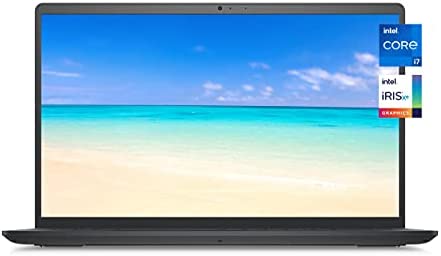
2022 Newest Dell Inspiron 3511 Premium Laptop, 15.6″ FHD Touchscreen, Intel Core i7-1165G7 Quad-Core Processor, 16GB RAM, 512GB PCIe SSD, Webcam, WiFi, HDMI, Bluetooth, Win10 Home, Black
In stock
Key Features and Benefits:
CPU: 11th Generation Intel Core i7-1165G7 Quad-Core Processor (4 Cores, 8 Threads, 12MB Intel Smart Cache, Base Frequency at 2.80 GHz, Up to 4.70 Ghz at Maximum Turbo Speed)
Memory: 16GB DDR4 SDRAM
Hard Drive: 512GB PCIe NVMe M.2 Solid State Drive
Operating System: Windows 10 Home
Display: 15.6-inch FHD (1920 x 1080) Anti-glare LED Backlight Touch Narrow Border WVA Display
Touchscreen: Yes
Screen Resolution: 1920 x 1080
Ports: 1 x SD Card Reader, 1 x USB 2.0, 1 x Power Jack, 1 x HDMI 1.4b, 2 x USB 3.1 Gen 1, 1 x Headphone & Microphone Audio Jack
Video: Intel Iris Xe Graphics
Audio: Stereo Speakers 2W x 2
Media Drive: Multi-format SD Media Card Reader
Optical Drive: None
Wireless Connectivity: 802.11ac 1×1 WiFi and Bluetooth
Built-in HD Webcam with Microphone: Yes
Battery: 3-Cell, 41 WHr, Integrated battery
Bluetooth: Yes
Weight: 3.82 Pounds
Color: Carbon Black
【Memory & Storage】Memory is 16GB high-bandwidth RAM to smoothly run multiple applications and browser tabs all at once. Hard Drive is 512GB PCIe NVMe M.2 Solid State Drive which allows to fast bootup and data transfer
【Processor】11th Gen Intel Core i7-1165G7 2.80GHz Quad-Core Processor (8MB Intel Smart Cache, up to 4.70GHz), Intel Iris Plus Graphics
【Display】15.6-inch FHD (1920 x 1080) Anti-glare LED Backlight Touch Narrow Border WVA Display
【Ports and Operating System】2 x USB 3.1 Gen 1, 1 x USB 2.0, 1 x HDMI, 1 x Combination Audio Jack, 1 x Multi-format SD Media Card Reader; Wireless-AC + Bluetooth Combo; Windows 10 Home 64-bit
【Operating System】Windows 10 Home-The Windows 10 Home operating system offers built-in security and app like Mail, Calendar, Photo, Microsoft Edge, and more to help keep you safe and productive (Free Upgrade to Windows 11)
Product successfully added to the Quote List
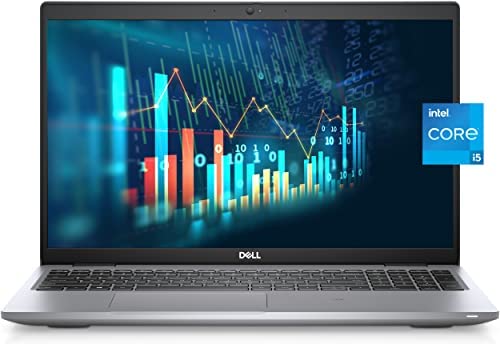
2022 Newest Dell Latitude 5520 Business Laptop, 15.6″ FHD Display, Intel Core i5-1135G7, 32GB DDR4 RAM, 512GB PCIe SSD, Webcam, HDMI, Backlit Keyboard, Wi-Fi 6, Thunderbolt 4, Windows 11 Pro
In stock
Key Features and Benefits:
CPU: Intel Core i5-1135G7 (4 Cores, 8 Threads, 8MB Cache, 2.40 GHz base frequency, up to 4.20 GHz max turbo frequency)
Memory: Up to 64GB DDR4 SDRAM
Hard Drive: Up to 2TB PCIe NVMe M.2 Solid State Drive
Operating System: Windows 11 Professional 64-bit
Display: 15.6-inch diagonal FHD IPS Anti-glare Non-touch Display, 250 nits brightness
Screen Resolution: 1920 x 1080
Ports:
1 x USB 3.2 Gen 1 Type-A with PowerShare
1 x USB 3.2 Gen 1 Type-A
1 x HDMI 2.0
2 x Thunderbolt 4 with Power Delivery and DisplayPort (USB Type-C)
1 x Headphone/Microphone Combo Jack
1 x uSD 4.0 Memory Card Reader
1 X RJ-45
Graphics: Intel Iris Xe Graphics with shared graphics memory
Audio: HD Audio with Stereo Speakers
Fingerprint Reader: No
Backlit Keyboard: Yes
Optical Drive: None
Wireless Connectivity: Intel Wi-Fi 6 AX201 2×2.11ax 160MHz + Bluetooth 5.1
Camera: HP Webcam with integrated digital microphone
Battery: 4 Cell 63Whr ExpressCharge Capable Battery
Dimensions: Height: 0.78", Width: 14.1", Depth: 9.2"
Weight: 3.5 lbs
Color: Gray
【High Speed RAM And Enormous Space】32GB high-bandwidth RAM to smoothly run multiple applications and browser tabs all at once; 512GB PCIe NVMe M.2 Solid State Drive allows to fast bootup and data transfer.
【Processor】Intel Core i5-1135G7 (4 Cores, 8 Threads, 8MB Cache, 2.40 GHz base frequency, Up to 4.20 GHz max turbo frequency)
【Display】15.6-inch diagonal FHD IPS Anti-glare Non-touch Display, 250 nits brightness
【Tech Specs】1 x USB 3.2 Gen 1 Type-A, 1 x USB 3.2 Gen 1 Type-A, 2 x Thunderbolt 4, 1 x HDMI 2.0, 1 x Headphone/Microphone Combo Jack, 1 x uSD 4.0 Memory Card Reader, 1 X RJ-45; Backlit Keyboard; Stereo Speakers
【Operating System】Windows 11 Pro – Get all the features of Windows 11 Home operating system plus enterprise-grade security, powerful management tools like single sign-on, and enhanced productivity with remote desktop and Cortana
Product successfully added to the Quote List
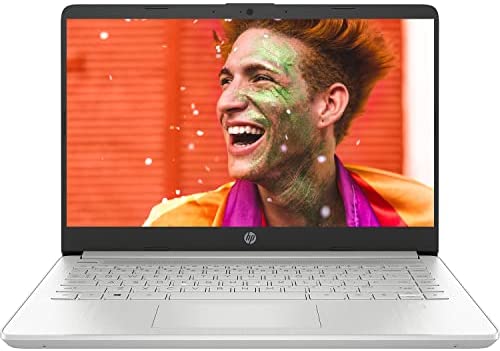
2022 Newest HP 14 Laptop, 14″ HD IPS Display, AMD Ryzen 3 3250U Processor, AMD Radeon Graphics, 8GB RAM, 128GB SSD, USB Type-C, HDMI, Long Battery Life Up to 10 Hours, Windows 11 + Microfiber Cloth
In stock
Processor: AMD Ryzen 3 3250U 3.50GHz Dual-Core Processor (2.6 GHz base clock, up to 3.5 GHz max boost clock, 4 MB L3 cache, 2 cores, 4 threads)
【Storage & RAM】Enjoy up to 15x faster performance than a traditional hard drive with 128 GB M.2 SSD storage and experience improved multitasking with higher bandwidth thanks to 8 GB of RAM
【Processor】AMD Ryzen 3 3250U 3.50GHz Dual-Core Processor (4 MB L3 cache, 2 cores, 4 threads)
【Display】14″ HD LED 220nits IPS Display, BrightView, micro-edge
【Fast Charge】Go from 0 to 50% charge in approximately 45 minutes
【Bundled Accessory】Microfiber Cloth
Product successfully added to the Quote List
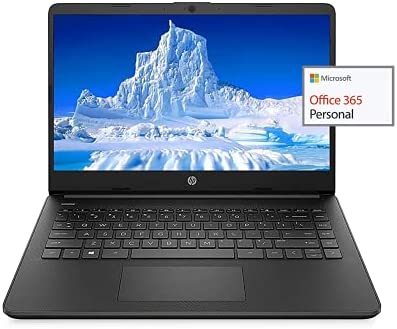
2022 Newest HP 14″ HD Laptop Light-Weight, AMD 3020e(Up to 2.6GHz), 16GB RAM, 512GB SSD + 64GB eMMC, 1 Year Office 365, WiFi, Bluetooth 5, USB Type-A&C, HDMI, Webcam, Win10, w/Ghost Manta Accessories
In stock
We sells computers with upgraded configurations. If the computer has modifications (listed above), then the manufacturer box is opened for it to be tested and inspected and to install the upgrades to achieve the specifications as advertised. If no modifications are listed, the item is unopened and untested. Defects & blemishes are significantly reduced by our in depth inspection & testing
How to switch s mode to windows 10
1. On your PC running Windows 10 in S mode, open Settings > Update & Security > Activation.
2. In the Switch to Windows 10 Home or Switch to Windows 10 Pro section, select Go to the Store. (If you also see an “Upgrade your edition of Windows” section, be careful not to click the “Go to the Store” link that appears there)
3. On the Switch out of S mode (or similar) page that appears in the Microsoft Store, select the Get button. After you see a confirmation message on the page, you’ll be able to install apps from outside of the Microsoft Store
Brand: HP
Display: 14″ HD
Processor: AMD 3020e, 2 C & 4 T
Memory: Upgrade to 16GB RAM
Storage: Upgrade to 64GB eMMC + 512GB SSD
Ports:
1 x 5Gbps USB Type-C
2 x 5Gbps USB Type-A
1 x HDMI 1.4
1 x Headphone/Microphone Combo
1 x multi-format SD media card reader
Wireless: WiFi 5, Bluetooth 5
Webcam: HP True Vision 720p HD camera with integrated dual array digital microphone
Battery Type: 3-cell, 41 Wh Li-ion
Average Battery Life: Up to 10.5 Hours
Audio Features: Dual speakers
Dimensions: 12.76 x 8.86 x 0.71 inches
Weight: 3.24 lbs
GM Accessories: Ghost Manta Accessories including HDMI cable, USB extension cord and Mouse pad
Product successfully added to the Quote List
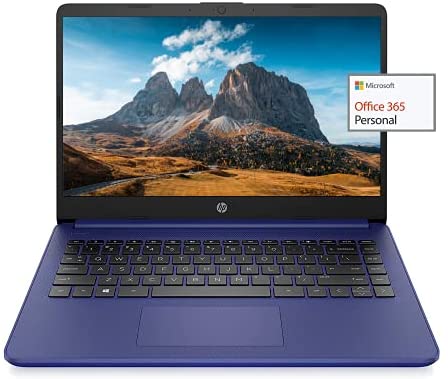
2022 Newest HP 14″ HD Laptop Light-Weight, AMD 3020e(Up to 2.6GHz), 8GB RAM, 128GB SSD + 64GB eMMC, 1 Year Office 365, WiFi, Bluetooth 5, USB Type-A&C, HDMI, Webcam, Win10, w/Ghost Manta Accessories
In stock
We sells computers with upgraded configurations. If the computer has modifications (listed above), then the manufacturer box is opened for it to be tested and inspected and to install the upgrades to achieve the specifications as advertised. If no modifications are listed, the item is unopened and untested. Defects & blemishes are significantly reduced by our in depth inspection & testing
How to switch s mode to windows 10
1. On your PC running Windows 10 in S mode, open Settings > Update & Security > Activation.
2. In the Switch to Windows 10 Home or Switch to Windows 10 Pro section, select Go to the Store. (If you also see an “Upgrade your edition of Windows” section, be careful not to click the “Go to the Store” link that appears there)
3. On the Switch out of S mode (or similar) page that appears in the Microsoft Store, select the Get button. After you see a confirmation message on the page, you’ll be able to install apps from outside of the Microsoft Store
Brand: HP
Display: 14″ HD
Processor: AMD 3020e, 2 C & 4 T
Memory: Upgrade to 8GB RAM
Storage: Upgrade to 64GB eMMC + 128GB SSD
Ports:
1 x 5Gbps USB Type-C
2 x 5Gbps USB Type-A
1 x HDMI 1.4
1 x Headphone/Microphone Combo
1 x multi-format SD media card reader
Wireless: WiFi 5, Bluetooth 5
Webcam: HP True Vision 720p HD camera with integrated dual array digital microphone
Battery Type: 3-cell, 41 Wh Li-ion
Average Battery Life: Up to 10.5 Hours
Audio Features: Dual speakers
Dimensions: 12.76 x 8.86 x 0.71 inches
Weight: 3.24 lbs
GM Accessories: Ghost Manta Accessories including HDMI cable, USB extension cord and Mouse pad
✔【14″ HD Display】14″ HD(1366 x 768) Display with micro-edge bezel design, WLED-backlit, BrightView, Enjoy your entertainment with the great quality and high-definition detail of 1 million pixels
✔【AMD 3000 Series Mobile Processors】AMD 3020e, 2 Cores & 4 Thrades, 1.2GHz Base Clock, 2.6GHz Max Boost Clock, 4MB L3 Cache, 6W TDP, Built in 3 Cores Radeon Graphics, Exprience high performance for all your entertainment
✔【Upgraded to 8GB RAM】Substantial high-bandwidth RAM to smoothly run your games and photo- and video-editing applications, as well as multiple programs and browser tabs all at once
【Upgraded to 64GB emmc + 128GB SSD】Speedy solid-state drive for seanless performance and reliable multitasking, allows you to store a large number of files, improving the reading speed of large files, ensuring daily use and the speed of opening large files, reduce the time of application and file loading
✔【Activate 1 Year MS office 365 & Win10 in S mode】(About switch to regular Win10, see the detail in Product description) Activate pre-installed Office: 1.Launch any Office app > 2.Start your activation by signing in with your Microsoft account(Create a account if you don’t have one yet) > 3.Click “Activate Office” > 4.Sign in your account and follow the next prompts. > 5.Complete Step 1,2 and 3 > 6.Click on Refresh once Office is ready > 7.Open a document and accept the license agreement.
Product successfully added to the Quote List
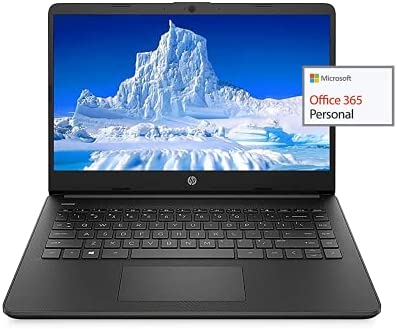
2022 Newest HP 14″ HD Laptop Light-Weight, AMD 3020e(Up to 2.6GHz), 8GB RAM, 128GB SSD + 64GB eMMC, 1 Year Office 365, WiFi, Bluetooth 5, USB Type-A&C, HDMI, Webcam, Win10, w/Ghost Manta Accessories
In stock
We sells computers with upgraded configurations. If the computer has modifications (listed above), then the manufacturer box is opened for it to be tested and inspected and to install the upgrades to achieve the specifications as advertised. If no modifications are listed, the item is unopened and untested. Defects & blemishes are significantly reduced by our in depth inspection & testing
How to switch s mode to windows 10
1. On your PC running Windows 10 in S mode, open Settings > Update & Security > Activation.
2. In the Switch to Windows 10 Home or Switch to Windows 10 Pro section, select Go to the Store. (If you also see an “Upgrade your edition of Windows” section, be careful not to click the “Go to the Store” link that appears there)
3. On the Switch out of S mode (or similar) page that appears in the Microsoft Store, select the Get button. After you see a confirmation message on the page, you’ll be able to install apps from outside of the Microsoft Store
Brand: HP
Display: 14″ HD
Processor: AMD 3020e, 2 C & 4 T
Memory: Upgrade to 8GB RAM
Storage: Upgrade to 64GB eMMC + 128GB SSD
Ports:
1 x 5Gbps USB Type-C
2 x 5Gbps USB Type-A
1 x HDMI 1.4
1 x Headphone/Microphone Combo
1 x multi-format SD media card reader
Wireless: WiFi 5, Bluetooth 5
Webcam: HP True Vision 720p HD camera with integrated dual array digital microphone
Battery Type: 3-cell, 41 Wh Li-ion
Average Battery Life: Up to 10.5 Hours
Audio Features: Dual speakers
Dimensions: 12.76 x 8.86 x 0.71 inches
Weight: 3.24 lbs
GM Accessories: Ghost Manta Accessories including HDMI cable, USB extension cord and Mouse pad
✔【14″ HD Display】14″ HD(1366 x 768) Display with micro-edge bezel design, WLED-backlit, BrightView, Enjoy your entertainment with the great quality and high-definition detail of 1 million pixels
✔【AMD 3000 Series Mobile Processors】AMD 3020e, 2 Cores & 4 Thrades, 1.2GHz Base Clock, 2.6GHz Max Boost Clock, 4MB L3 Cache, 6W TDP, Built in 3 Cores Radeon Graphics, Exprience high performance for all your entertainment
✔【Upgraded to 8GB RAM】Substantial high-bandwidth RAM to smoothly run your games and photo- and video-editing applications, as well as multiple programs and browser tabs all at once
【Upgraded to 64GB emmc + 128GB SSD】Speedy solid-state drive for seanless performance and reliable multitasking, allows you to store a large number of files, improving the reading speed of large files, ensuring daily use and the speed of opening large files, reduce the time of application and file loading
✔【【Activate 1 Year MS office 365 & Win10 in S mode】(About switch to regular Win10, see the detail in Product description) Activate pre-installed Office: 1.Launch any Office app > 2.Start your activation by signing in with your Microsoft account(Create a account if you don’t have one yet) > 3.Click “Activate Office” > 4.Sign in your account and follow the next prompts. > 5.Complete Step 1,2 and 3 > 6.Click on Refresh once Office is ready > 7.Open a document and accept the license agreement.
Product successfully added to the Quote List
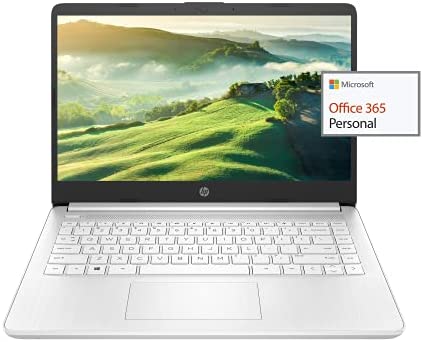
2022 Newest HP 14″ HD Laptop Light-Weight, AMD 3020e(Up to 2.6GHz), 8GB RAM, 128GB SSD + 64GB eMMC, 1 Year Office 365, WiFi, Bluetooth 5, USB Type-A&C, HDMI, Webcam, Win10, w/Ghost Manta Accessories
In stock
We sells computers with upgraded configurations. If the computer has modifications (listed above), then the manufacturer box is opened for it to be tested and inspected and to install the upgrades to achieve the specifications as advertised. If no modifications are listed, the item is unopened and untested. Defects & blemishes are significantly reduced by our in depth inspection & testing
How to switch s mode to windows 10
1. On your PC running Windows 10 in S mode, open Settings > Update & Security > Activation.
2. In the Switch to Windows 10 Home or Switch to Windows 10 Pro section, select Go to the Store. (If you also see an “Upgrade your edition of Windows” section, be careful not to click the “Go to the Store” link that appears there)
3. On the Switch out of S mode (or similar) page that appears in the Microsoft Store, select the Get button. After you see a confirmation message on the page, you’ll be able to install apps from outside of the Microsoft Store
Brand: HP
Display: 14″ HD
Processor: AMD 3020e, 2 C & 4 T
Memory: Upgrade to 8GB RAM
Storage: Upgrade to 64GB eMMC + 128GB SSD
Ports:
1 x 5Gbps USB Type-C
2 x 5Gbps USB Type-A
1 x HDMI 1.4
1 x Headphone/Microphone Combo
1 x multi-format SD media card reader
Wireless: WiFi 5, Bluetooth 5
Webcam: HP True Vision 720p HD camera with integrated dual array digital microphone
Battery Type: 3-cell, 41 Wh Li-ion
Average Battery Life: Up to 10.5 Hours
Audio Features: Dual speakers
Dimensions: 12.76 x 8.86 x 0.71 inches
Weight: 3.24 lbs
GM Accessories: Ghost Manta Accessories including HDMI cable, USB extension cord and Mouse pad
✔【14″ HD Display】14″ HD(1366 x 768) Display with micro-edge bezel design, WLED-backlit, BrightView, Enjoy your entertainment with the great quality and high-definition detail of 1 million pixels
✔【AMD 3000 Series Mobile Processors】AMD 3020e, 2 Cores & 4 Thrades, 1.2GHz Base Clock, 2.6GHz Max Boost Clock, 4MB L3 Cache, 6W TDP, Built in 3 Cores Radeon Graphics, Exprience high performance for all your entertainment
✔【Upgraded to 8GB RAM】Substantial high-bandwidth RAM to smoothly run your games and photo- and video-editing applications, as well as multiple programs and browser tabs all at once
【Upgraded to 64GB emmc + 128GB SSD】Speedy solid-state drive for seanless performance and reliable multitasking, allows you to store a large number of files, improving the reading speed of large files, ensuring daily use and the speed of opening large files, reduce the time of application and file loading
✔【Activate 1 Year MS office 365 & Win10 in S mode】(About switch to regular Win10, see the detail in Product description) Activate pre-installed Office: 1.Launch any Office app > 2.Start your activation by signing in with your Microsoft account(Create a account if you don’t have one yet) > 3.Click “Activate Office” > 4.Sign in your account and follow the next prompts. > 5.Complete Step 1,2 and 3 > 6.Click on Refresh once Office is ready > 7.Open a document and accept the license agreement.
Product successfully added to the Quote List
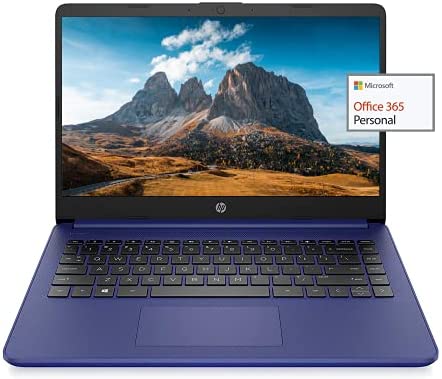
2022 Newest HP 14″ HD Laptop Light-Weight, AMD 3020e(Up to 2.6GHz), 8GB RAM, 256GB SSD + 64GB eMMC, 1 Year Office 365, WiFi, Bluetooth 5, USB Type-A&C, HDMI, Webcam, Win10, w/Ghost Manta Accessories
In stock
We sells computers with upgraded configurations. If the computer has modifications (listed above), then the manufacturer box is opened for it to be tested and inspected and to install the upgrades to achieve the specifications as advertised. If no modifications are listed, the item is unopened and untested. Defects & blemishes are significantly reduced by our in depth inspection & testing
How to switch s mode to windows 10
1. On your PC running Windows 10 in S mode, open Settings > Update & Security > Activation.
2. In the Switch to Windows 10 Home or Switch to Windows 10 Pro section, select Go to the Store. (If you also see an “Upgrade your edition of Windows” section, be careful not to click the “Go to the Store” link that appears there)
3. On the Switch out of S mode (or similar) page that appears in the Microsoft Store, select the Get button. After you see a confirmation message on the page, you’ll be able to install apps from outside of the Microsoft Store
Brand: HP
Display: 14″ HD
Processor: AMD 3020e, 2 C & 4 T
Memory: Upgrade to 8GB RAM
Storage: Upgrade to 64GB eMMC + 256GB SSD
Ports:
1 x 5Gbps USB Type-C
2 x 5Gbps USB Type-A
1 x HDMI 1.4
1 x Headphone/Microphone Combo
1 x multi-format SD media card reader
Wireless: WiFi 5, Bluetooth 5
Webcam: HP True Vision 720p HD camera with integrated dual array digital microphone
Battery Type: 3-cell, 41 Wh Li-ion
Average Battery Life: Up to 10.5 Hours
Audio Features: Dual speakers
Dimensions: 12.76 x 8.86 x 0.71 inches
Weight: 3.24 lbs
GM Accessories: Ghost Manta Accessories including HDMI cable, USB extension cord and Mouse pad
✔【14″ HD Display】14″ HD(1366 x 768) Display with micro-edge bezel design, WLED-backlit, BrightView, Enjoy your entertainment with the great quality and high-definition detail of 1 million pixels
✔【AMD 3000 Series Mobile Processors】AMD 3020e, 2 Cores & 4 Thrades, 1.2GHz Base Clock, 2.6GHz Max Boost Clock, 4MB L3 Cache, 6W TDP, Built in 3 Cores Radeon Graphics, Exprience high performance for all your entertainment
✔【Upgraded to 8GB RAM】Substantial high-bandwidth RAM to smoothly run your games and photo- and video-editing applications, as well as multiple programs and browser tabs all at once
【Upgraded to 64GB emmc + 256GB SSD】Speedy solid-state drive for seanless performance and reliable multitasking, allows you to store a large number of files, improving the reading speed of large files, ensuring daily use and the speed of opening large files, reduce the time of application and file loading
✔【Activate 1 Year MS office 365 & Win10 in S mode】(About switch to regular Win10, see the detail in Product description) Activate pre-installed Office: 1.Launch any Office app > 2.Start your activation by signing in with your Microsoft account(Create a account if you don’t have one yet) > 3.Click “Activate Office” > 4.Sign in your account and follow the next prompts. > 5.Complete Step 1,2 and 3 > 6.Click on Refresh once Office is ready > 7.Open a document and accept the license agreement.
Product successfully added to the Quote List
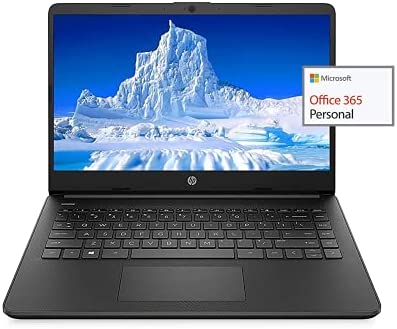
2022 Newest HP 14″ HD Laptop Light-Weight, AMD 3020e(Up to 2.6GHz), 8GB RAM, 256GB SSD + 64GB eMMC, 1 Year Office 365, WiFi, Bluetooth 5, USB Type-A&C, HDMI, Webcam, Win10, w/Ghost Manta Accessories
In stock
We sells computers with upgraded configurations. If the computer has modifications (listed above), then the manufacturer box is opened for it to be tested and inspected and to install the upgrades to achieve the specifications as advertised. If no modifications are listed, the item is unopened and untested. Defects & blemishes are significantly reduced by our in depth inspection & testing
How to switch s mode to windows 10
1. On your PC running Windows 10 in S mode, open Settings > Update & Security > Activation.
2. In the Switch to Windows 10 Home or Switch to Windows 10 Pro section, select Go to the Store. (If you also see an “Upgrade your edition of Windows” section, be careful not to click the “Go to the Store” link that appears there)
3. On the Switch out of S mode (or similar) page that appears in the Microsoft Store, select the Get button. After you see a confirmation message on the page, you’ll be able to install apps from outside of the Microsoft Store
Brand: HP
Display: 14″ HD
Processor: AMD 3020e, 2 C & 4 T
Memory: Upgrade to 8GB RAM
Storage: Upgrade to 64GB eMMC + 256GB SSD
Ports:
1 x 5Gbps USB Type-C
2 x 5Gbps USB Type-A
1 x HDMI 1.4
1 x Headphone/Microphone Combo
1 x multi-format SD media card reader
Wireless: WiFi 5, Bluetooth 5
Webcam: HP True Vision 720p HD camera with integrated dual array digital microphone
Battery Type: 3-cell, 41 Wh Li-ion
Average Battery Life: Up to 10.5 Hours
Audio Features: Dual speakers
Dimensions: 12.76 x 8.86 x 0.71 inches
Weight: 3.24 lbs
GM Accessories: Ghost Manta Accessories including HDMI cable, USB extension cord and Mouse pad
✔【14″ HD Display】14″ HD(1366 x 768) Display with micro-edge bezel design, WLED-backlit, BrightView, Enjoy your entertainment with the great quality and high-definition detail of 1 million pixels
✔【AMD 3000 Series Mobile Processors】AMD 3020e, 2 Cores & 4 Thrades, 1.2GHz Base Clock, 2.6GHz Max Boost Clock, 4MB L3 Cache, 6W TDP, Built in 3 Cores Radeon Graphics, Exprience high performance for all your entertainment
✔【Upgraded to 8GB RAM】Substantial high-bandwidth RAM to smoothly run your games and photo- and video-editing applications, as well as multiple programs and browser tabs all at once
【Upgraded to 64GB emmc + 256GB SSD】Speedy solid-state drive for seanless performance and reliable multitasking, allows you to store a large number of files, improving the reading speed of large files, ensuring daily use and the speed of opening large files, reduce the time of application and file loading
✔【Activate 1 Year MS office 365 & Win10 in S mode】(About switch to regular Win10, see the detail in Product description) Activate pre-installed Office: 1.Launch any Office app > 2.Start your activation by signing in with your Microsoft account(Create a account if you don’t have one yet) > 3.Click “Activate Office” > 4.Sign in your account and follow the next prompts. > 5.Complete Step 1,2 and 3 > 6.Click on Refresh once Office is ready > 7.Open a document and accept the license agreement.
Product successfully added to the Quote List
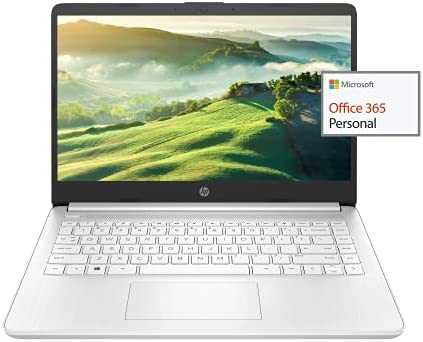
2022 Newest HP 14″ HD Laptop Light-Weight, AMD 3020e(Up to 2.6GHz), 8GB RAM, 256GB SSD + 64GB eMMC, 1 Year Office 365, WiFi, Bluetooth 5, USB Type-A&C, HDMI, Webcam, Win11, w/Ghost Manta Accessories
In stock
We sells computers with upgraded configurations. If the computer has modifications (listed above), then the manufacturer box is opened for it to be tested and inspected and to install the upgrades to achieve the specifications as advertised. If no modifications are listed, the item is unopened and untested. Defects & blemishes are significantly reduced by our in depth inspection & testing
How to switch s mode to windows 11
1. On your PC running Windows 11 in S mode, open Settings > Update & Security > Activation.
2. In the Switch to Windows 11 Home or Switch to Windows 11 Pro section, select Go to the Store. (If you also see an “Upgrade your edition of Windows” section, be careful not to click the “Go to the Store” link that appears there)
3. On the Switch out of S mode (or similar) page that appears in the Microsoft Store, select the Get button. After you see a confirmation message on the page, you’ll be able to install apps from outside of the Microsoft Store
Brand: HP
Display: 14″ HD
Processor: AMD 3020e, 2 C & 4 T
Memory: Upgrade to 8GB RAM
Storage: Upgrade to 64GB eMMC + 256GB SSD
Ports:
1 x 5Gbps USB Type-C
2 x 5Gbps USB Type-A
1 x HDMI 1.4
1 x Headphone/Microphone Combo
1 x multi-format SD media card reader
Wireless: WiFi 5, Bluetooth 5
Webcam: HP True Vision 720p HD camera with integrated dual array digital microphone
Battery Type: 3-cell, 41 Wh Li-ion
Average Battery Life: Up to 10.5 Hours
Audio Features: Dual speakers
Dimensions: 12.76 x 8.86 x 0.71 inches
Weight: 3.24 lbs
GM Accessories: Ghost Manta Accessories including HDMI cable, USB extension cord and Mouse pad
✔【14″ HD Display】14″ HD(1366 x 768) Display with micro-edge bezel design, WLED-backlit, BrightView, Enjoy your entertainment with the great quality and high-definition detail of 1 million pixels
✔【AMD 3000 Series Mobile Processors】AMD 3020e, 2 Cores & 4 Thrades, 1.2GHz Base Clock, 2.6GHz Max Boost Clock, 4MB L3 Cache, 6W TDP, Built in 3 Cores Radeon Graphics, Exprience high performance for all your entertainment
✔【Upgraded to 8GB RAM】Substantial high-bandwidth RAM to smoothly run your games and photo- and video-editing applications, as well as multiple programs and browser tabs all at once
【Upgraded to 64GB emmc + 256GB SSD】Speedy solid-state drive for seanless performance and reliable multitasking, allows you to store a large number of files, improving the reading speed of large files, ensuring daily use and the speed of opening large files, reduce the time of application and file loading
✔【Activate 1 Year MS office 365 & Win11 in S mode】(About switch to regular Win11, see the detail in Product description) Activate pre-installed Office: 1.Launch any Office app > 2.Start your activation by signing in with your Microsoft account(Create a account if you don’t have one yet) > 3.Click “Activate Office” > 4.Sign in your account and follow the next prompts. > 5.Complete Step 1,2 and 3 > 6.Click on Refresh once Office is ready > 7.Open a document and accept the license agreement.
Product successfully added to the Quote List

2022 Newest HP 14″ HD Laptop Light-Weight, AMD 3050U(Up to 2.6GHz), 16GB RAM, 512GB SSD + 64GB eMMC, 1 Year Office 365, WiFi, Bluetooth 5, USB Type-A&C, HDMI, Webcam, Win10 w/Ghost Manta Accessories
In stock
We sells computers with upgraded configurations. If the computer has modifications (listed above), then the manufacturer box is opened for it to be tested and inspected and to install the upgrades to achieve the specifications as advertised. If no modifications are listed, the item is unopened and untested. Defects & blemishes are significantly reduced by our in depth inspection & testing
How to switch s mode to windows 10
1. On your PC running Windows 10 in S mode, open Settings > Update & Security > Activation.
2. In the Switch to Windows 10 Home or Switch to Windows 10 Pro section, select Go to the Store. (If you also see an “Upgrade your edition of Windows” section, be careful not to click the “Go to the Store” link that appears there)
3. On the Switch out of S mode (or similar) page that appears in the Microsoft Store, select the Get button. After you see a confirmation message on the page, you’ll be able to install apps from outside of the Microsoft Store
Brand: HP
Display: 14″ HD
Processor: AMD 3050U
Memory: Upgrade to 16GB RAM
Storage: Upgrade to 64GB eMMC + 512GB SSD
Ports:
1 x 5Gbps USB Type-C
2 x 5Gbps USB Type-A
1 x HDMI 1.4
1 x Headphone/Microphone Combo
1 x multi-format SD media card reader
Wireless: WiFi 5, Bluetooth 5
Webcam: HP True Vision 720p HD camera with integrated dual array digital microphone
Battery Type: 3-cell, 41 Wh Li-ion
Average Battery Life: Up to 10.5 Hours
Audio Features: Dual speakers
Dimensions: 12.76 x 8.86 x 0.71 inches
Weight: 3.24 lbs
GM Accessories: Ghost Manta Accessories including HDMI cable, USB extension cord and Mouse pad
✔【14″ HD Display】14″ HD(1366 x 768) Display with micro-edge bezel design, WLED-backlit, BrightView, Enjoy your entertainment with the great quality and high-definition detail of 1 million pixels
✔【AMD 3000 Series Mobile Processors】AMD 3050U, 2 Cores & 4 Thrades, 2.3GHz Base Clock, 3.2GHz Max Boost Clock, 4MB L3 Cache, 6W TDP, Built in 3 Cores Radeon Graphics, Exprience high performance for all your entertainment
✔【Upgrade to 16GB RAM】Substantial high-bandwidth RAM to smoothly run your games and photo- and video-editing applications, as well as multiple programs and browser tabs all at once
【Upgrade to 64GB emmc + 512GB SSD】Speedy solid-state drive for seanless performance and reliable multitasking, allows you to store a large number of files, improving the reading speed of large files, ensuring daily use and the speed of opening large files, reduce the time of application and file loading
✔【Windows 10 Home in S mode】You may switch to regular windows 10: Press “Start button” bottom left of the screen; Select “Settings” icon above “power” icon;Select Update & Security and Activation, then Go to Store; Select “Get” option under “Switch out of S mode”; Hit Install. (If you also see an “Upgrade your edition of Windows” section, be careful not to click the “Go to the Store” link that appears there.)
Product successfully added to the Quote List
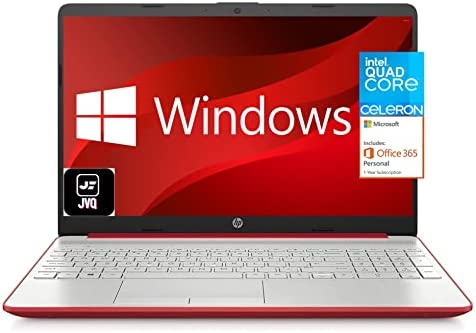
2022 Newest HP 15 15.6” HD Display Laptop Notebook, Intel Pentium Quad-Core N5000(Up to 2.7GHz), 8GB DDR4 RAM, 128GB SSD, 1-Year Office 365, HDMI, USB-C, WiFi, Webcam, Win10, Scarlet Red +JVQ MP
In stock
If the computer has modifications (listed above), then the manufacturer box is opened for it to be tested and inspected and to install the upgrades to achieve the specifications as advertised. If no modifications are listed, the item is unopened and untested. Defects & blemishes are significantly reduced by our in-depth inspection & testing.
PRODUCT OVERVIEW:
Designed to keep you productive and entertained from anywhere, the HP 15.6-inch diagonal laptop combines long lasting battery life with a thin and portable, micro-edge bezel design.
Product Details:
Microprocessor:Intel Quad-Core Pentium N5000 (Base Clock 1.1GHz, up to 2.7GHz)
Memory: 8GB DDR4 RAM
Storage: 128GB SSD
Operating system: Microsoft Windows 10
Graphics & Video: Integrated Intel UHD Graphics
Display:15.6″ diagonal HD (1366 x 768) Display
Wi-Fi: Yes
Bluetooth: Yes
Backlit Keyboard: No
Fingerprint: No
Optical Drive: No
Multi-format SD media card reader: Yes
Bang & Olufsen Audio: No
Ports :1 x USB-C 3.1, 2 x USB-A 3.1, 1 x HDMI 1.4b; 1 x headphone/microphone combo, 1 x multi-format SD media card reader
Battery: 3-cell 41 Whr, up to 10 hours battery life
Dimension: 14.11″ x 9.53″ x 0.78″
Weight: 3.93lbs
Software: 1-Year Office 365 included
15.6″ diagonal HD (1366 x 768) Display, Integrated Intel UHD Graphics
Intel Quad-Core Pentium N5000 (Base Clock 1.1GHz, up to 2.7GHz)
【CUSTOMlZED, Professional Upgraded to】: 8GB RAM | 128GB SSD
1 x USB-C 3.1, 2 x USB-A 3.1, 1 x HDMI, 1 x RJ45 ethernet 1 x headphone/microphone combo, 1 x multi-format SD media card reader
1-Year office 365 included, Windows 10 in S mode, Wifi5 (802.11ac 1×1), Bluetooth 4.2, 720p HD camera, Up to 10 hours battery life
